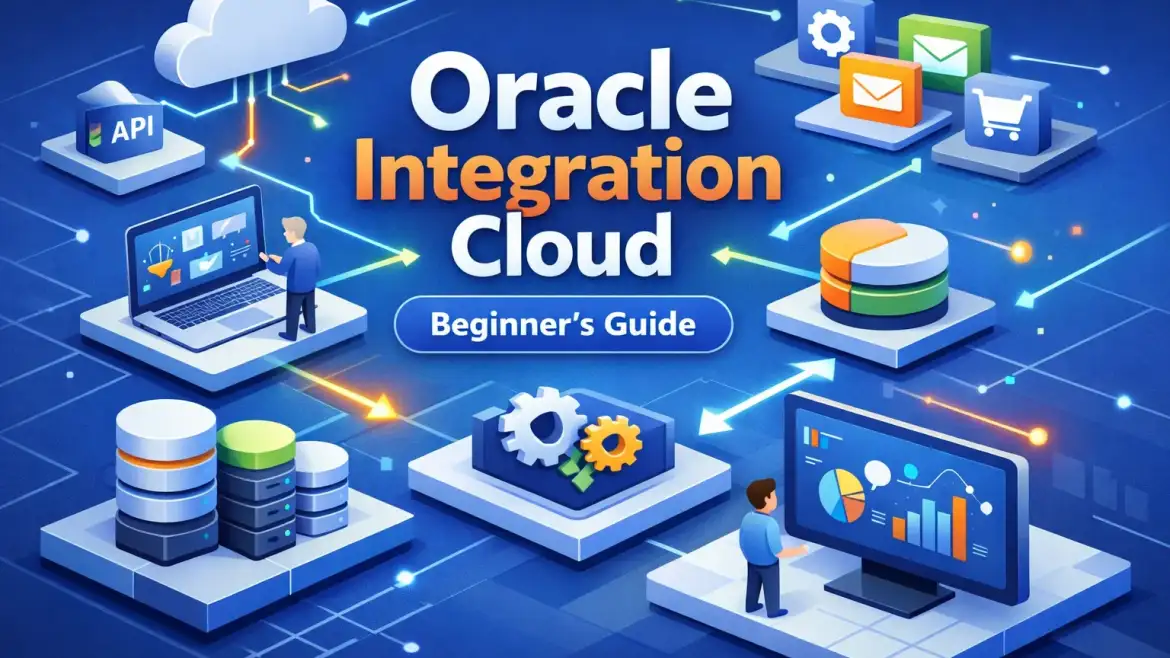
If you typed “oic oracle integration cloud” into a search box, this is the short answer: OIC is Oracle’s integration platform (an iPaaS) that connects SaaS, on‑prem and custom systems with prebuilt adapters and a visual orchestration engine. Below I’ll map the architecture, show how to pick connectors, and give a runnable starter integration you can test in a lab — the exact workflow we teach at CloudShine with live instances and job‑ready labs.
What OIC actually is — and when to use it
Direct answer: Oracle Integration Cloud is an integration and automation service (iPaaS) that lets you link applications and processes without heavy custom code, using a visual canvas and dozens of prebuilt adapters. Use it when you need fast, maintainable integrations across cloud and on‑prem systems, or when you want event‑aware automation that’s monitored and governed.
Short distinction: OIC is the integration/service layer; OCI (Oracle Cloud Infrastructure) is the underlying cloud platform that hosts it.
Typical win scenarios include SaaS‑to‑SaaS synchronization (CRM → ERP), ERP orchestration (order/payment/posting), event‑driven automation (webhook → business process), and hybrid lifts where on‑prem systems must stay connected during cloud migration.
Quick pro/con summary: Pros — speed of delivery with low code, built‑in security and monitoring, rich Oracle/SaaS adapters. Cons — licensing and potential vendor lock‑in; complex high‑throughput or highly custom integrations may still need specialist engineering.
Actionable takeaway: If you need low‑code, event‑aware integrations across cloud and on‑prem systems, include OIC in your PoC shortlist and prototype one meaningful flow first.
Core components and architecture — the practical map
Direct answer: OIC consists of an integration engine (visual canvas), prebuilt adapters/connections, a mapper for transformations, monitoring (Activity Stream/Integration Insight), API management, and a Connectivity Agent for hybrid access — all running on OCI with HA/DR options.
Components explained in plain language: the Integration Canvas is where you build orchestration flows (triggers, enrichment, routing). Connections/adapters handle auth and protocol details so you don’t write boilerplate. The Mapper converts payloads and types. Activity Stream shows message instances and diagnostics. Integration Insight provides business metrics and tracking for SLAs. The API Platform lets you expose or secure endpoints. The Connectivity Agent sits inside your network to allow private access to on‑prem systems.
Architecture patterns are straightforward: a cloud‑native tenant handles pure SaaS patterns; hybrid deployments add a Connectivity Agent or API Gateway in a VCN. For DR, Oracle supports primary/secondary instances with DNS failover across OCI regions.
Deployment/network notes: decide early if you need FastConnect (high throughput/private link) versus Service Gateway or VPN for lighter needs. Use private endpoints for strict compliance, and plan DNS failover for your custom endpoints. For design patterns and OCI best practices, Oracle’s OCI Architecture Center is a helpful reference when choosing network topology and DR approaches.
Screenshot placeholder — Create Connection screen (place image here showing a Shopify or ERP connection configuration).
Screenshot placeholder — Mapper canvas (place image here showing a sample field mapping).
Screenshot placeholder — Activity Stream (place image here showing instance traces and payloads).
Reference links: Oracle adapter list and official OIC architecture docs are useful starting points — see Oracle’s application integration documentation for current adapter support and architecture patterns.
Actionable takeaway: before you open the canvas, map your network topology and list which systems need private connectivity; plan for a Connectivity Agent or API Gateway from day one.
Connectors and adapters — picking the right one (Salesforce, SAP, Snowflake, Workday, Shopify)
Direct answer: Use OIC’s prebuilt adapters where possible; they save authentication and protocol work. Choose adapters based on event support, throughput, and transaction semantics, not on brand alone.
Practical notes by system: Salesforce provides REST/SOAP and platform events (good for real‑time triggers). SAP adapters support IDoc/BAPI and SOAP/REST for ERP messaging but often rely on polling for change events. Snowflake integrates via REST/SQL for data loads — it’s better for batch/bulk pipelines than event streams. Workday exposes SOAP/REST and business event triggers for HR flows. Shopify supports REST and webhooks, making it a natural event source for order flows.
Adapter selection checklist:
- Does the adapter support events (push/webhooks) or only API polling?
- Real‑time vs bulk: can it handle your throughput and batch needs?
- Authentication model: OAuth, basic, or client certs — how will you store creds?
- Error semantics and retry behaviour: what retries are built in vs what you must implement?
- Schema management: how does the adapter handle metadata/drift?
When to build custom: use the Rapid Adapter Builder for REST APIs when no OOTB adapter exists or when you need a simplified wrapper; avoid custom adapters if a supported adapter already covers events and transactions.
Common pitfalls: API rate limits and polling causing missed windows, schema drift, timezone/number format mismatches, and incorrect assumptions about transactional boundaries. Audit these risks in your adapter evaluation. Also keep an eye on vendor updates — Oracle periodically publishes new adapters and connectivity enhancements that may change your choice of connector.
Actionable takeaway: start by auditing event availability and SLAs per system — prefer event‑driven adapters for real‑time flows and schedule/batch adapters for large backfills.
Real enterprise use cases and flows (procure‑to‑pay, order‑to‑cash, hire‑to‑retire)
Direct answer: OIC is ideal for cross‑application flows such as P2P, O2C, and H2R — event triggers or scheduled jobs feed orchestrations that update ERP/HR systems and trigger downstream processes.
P2P example: supplier invoice submission → OIC intake (API/FTP/OCR) → validation and PO matching → Fusion AP post and exception routing. In practice, P2P automation projects commonly reduce manual cycle time by roughly 25–40% when invoices and matching are automated end‑to‑end. For more on ERP capabilities that matter in these flows, see the 10 key features of Oracle Cloud ERP we track in CloudShine analyses.
O2C example: Shopify or e‑commerce order → OIC triggers via webhook → transform to ERP sales order → invoke fulfillment/OTM and AR posting; include acknowledgements and error compensation for failed shipments.
H2R example: Workday hire event → OIC orchestration enriches employee data, provisions accounts (IT), creates payroll entries in Fusion, and notifies manager flows.
Operational considerations that matter: idempotency keys to avoid duplicate processing, clear transactional boundaries and compensating transactions, a searchable audit trail, and SLA metrics (success rate, latency) surfaced via Integration Insight. If your focus is continuous supply chain innovation, CloudShine has covered how customers embrace continuous supply chain innovation using integrated cloud platforms and automation.
Actionable takeaway: pick one end‑to‑end slice (a single P2P or O2C process), document triggers, fields, and failure paths before you build the first integration.
Hands‑on: build your first end‑to‑end integration
Direct answer: the shortest path to understanding OIC is building one simple flow: Shopify order → OIC → Oracle Fusion sales order. Do this in a lab environment and validate messages in the Activity Stream. Oracle also provides a tutorial to create your first integration that walks through the basic steps if you prefer following official exercises.
- Environment: get an OIC tenant or use CloudShine’s live lab; confirm network routes and Connectivity Agent for on‑prem targets.
- Create Connections: Integrations → Connections → add Shopify (REST/OAuth) and Oracle ERP adapter (WSDL or REST endpoint); validate both connections. If you need background on the Fusion side before mapping, see our Oracle Fusion Training primer to avoid common configuration pitfalls.
- Create Integration: Integrations → Create → choose App‑Driven Orchestration; name it clearly (e.g., Shopify→Fusion_Order).
- Design flow: add the Shopify trigger, invoke the ERP adapter, then add Map/Assign and For Each where needed; include logging and fault handlers.
- Map data: open the Mapper, map JSON to ERP fields, use lookups for code translation and explicit type conversions.
- Activate & test: save and Activate, create a test order in Shopify, and watch the Activity Stream for instance traces.
- Troubleshoot: check Activity Stream, Instance Messages, and Diagnostics for auth failures, schema mismatches, or connectivity issues; re‑import WSDLs or correct credentials as needed.
- Monitor and iterate: enable Integration Insight metrics and set alerts for failures before promoting to test/production.
Troubleshooting quick hits: authentication failures — check credentials and vault entries; WSDL/schema mismatches — re‑import and map carefully; connectivity agent offline — check firewall and agent logs; timeouts — tune timeouts or batch requests.
Actionable takeaway: build the simple flow in a lab, add an idempotency key or retry policy, then promote to a test instance once stable.
Ship to production: checklist, learning path, and FAQs
Direct answer: production readiness is a short checklist — secure credentials, DR planning, observability, and governance — plus hands‑on practice. Running the starter integration and then a 2–4 integration PoC is a practical rollout strategy.
- Security: OAuth and certificate management, secure vault for credentials, SSO/IAM integration.
- Resilience: retry policies, dead‑letter handling, DR endpoints, and rate limiting strategies.
- Observability: Integration Insight, activity metrics, and OCI alerts for failures.
- Governance: naming conventions, compartment strategy, adapter inventory, and RBAC.
Learning path: read the core OIC docs and adapter list, run the starter integration above, complete two lab projects (P2P and O2C), then add a hybrid connection via the Connectivity Agent. If you prefer guided practice, CloudShine runs hands‑on OIC bootcamps with live instances, project labs and placement‑oriented coaching — see our OIC certification guide for recommended labs and study paths.
FAQs
Q: What’s the difference between OIC and OCI? A: OCI is the infrastructure layer (compute, network, storage); OIC is Oracle’s integration service running on OCI focused on connecting and orchestrating apps.
Q: Does OIC have connectors for Salesforce, SAP, Snowflake, Workday, Shopify? A: Yes — OIC ships prebuilt adapters for these systems; check the Oracle adapter documentation for event vs API specifics.
Q: How do I connect on‑prem systems? A: Use the Oracle Integration Connectivity Agent or an API Gateway and plan network routes (VCN, FastConnect, or VPN).
Q: How long to get comfortable? A: With guided labs you can learn core flows over a weekend and become productive after a few weeks of regular practice.
Q: How do I try OIC? A: Use Oracle’s trial tenancy or sign up for a hands‑on lab — CloudShine offers live‑instance labs and bootcamps for practical practice. For broader industry perspectives and lessons on supply chain and continuous innovation, our Oracle Cloud SCM Virtual Summit takeaways summarize key trends customers are acting on.
Final takeaway: map your network and events first, build a single end‑to‑end integration in a lab, add resiliency and observability, then expand. If you want guided, hands‑on practice with live tenants and interview‑ready coaching, consider enrolling in a CloudShine OIC lab.