Pick a managed platform (PaaS) when you want Oracle to own backups, patching and scaling so your team can focus on features; choose infrastructure (IaaS) when you need full OS/kernel access, custom drivers, or bare‑metal performance. This article explains the practical trade‑offs and gives a short playbook to map common workloads to Oracle Cloud Infrastructure services.
At CloudShine we’ve migrated ERP teams both ways and use a three‑question rule to decide which path to recommend; that rule and a pilot playbook are below. Read on for decision heuristics, an OCI service map, cost/SLA/security notes including Universal Credits, and a step‑by‑step migration playbook you can run in 30–90 days.
Quick decision: When to choose PaaS vs IaaS (CloudShine’s rule‑of‑thumb)
If the workload is primarily database, analytics, integration, or stateless microservices, start with PaaS. If it’s a heavily customized monolith (Oracle EBS with custom patches), uses unsupported binaries/drivers, or must preserve a specific networking/OS stack, plan IaaS (lift‑and‑shift).
- Can you accept a managed platform (no OS access)? If yes, it’s a PaaS candidate.
- Are unsupported custom binaries/drivers required? If yes, choose IaaS.
- Is speed‑to‑move more important than long‑term ops savings? If yes, prefer IaaS for a fast lift‑and‑shift.
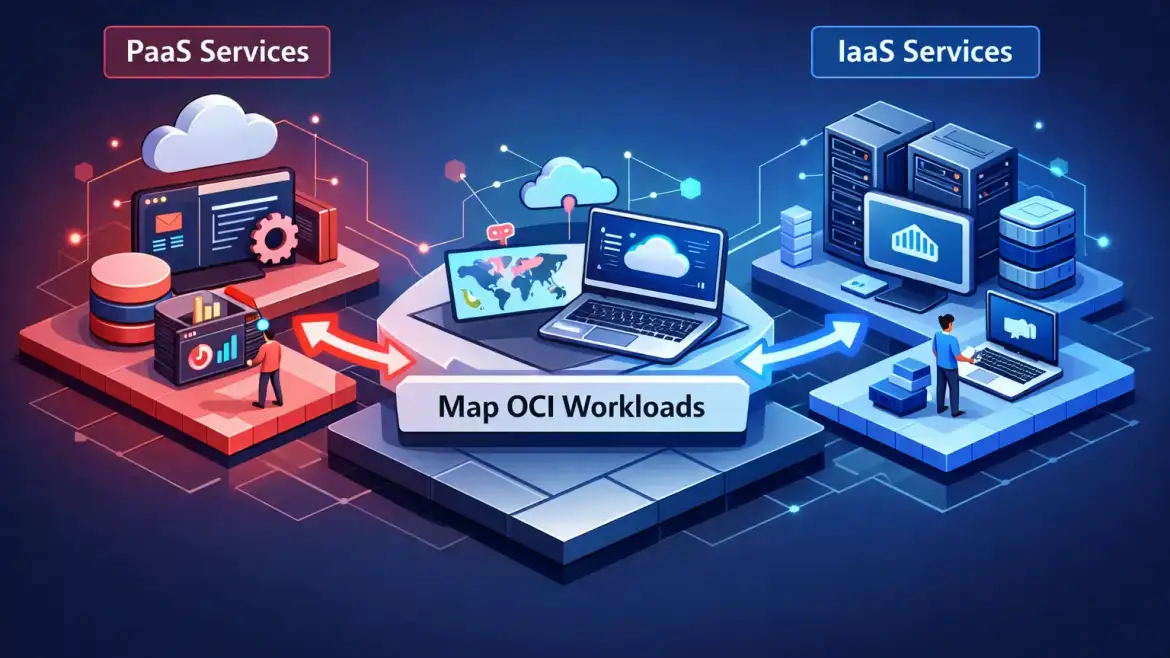
Workload map (one line each): OLTP databases → Autonomous Database (managed PaaS); legacy EBS → IaaS (VMs or Bare Metal via Compute); analytics / data lake → Analytics services over Object Storage (PaaS); stateless microservices → Functions or containerized Compute with API Platform (PaaS-first).
Actionable takeaway: Run the three‑question test on your top three workloads; if two or more answers point to IaaS, plan a pilot lift‑and‑shift first.
How PaaS and IaaS differ — responsibilities, trade‑offs and operational impact
PaaS shifts maintenance—backups, patching, scaling, and some tuning—to Oracle. IaaS gives you control of the OS, kernel and drivers but leaves operational responsibility with your team. That single difference shapes cost, portability, and modernization speed.
Control vs convenience: IaaS affords full control (kernel tuning, custom drivers). PaaS removes many operational tasks so teams can ship features faster.
Customization & compatibility: If you rely on unsupported patches, kernel modules, or bespoke drivers, IaaS is usually the safe path to preserve behavior. For teams deciding between a full replatform and staying on EBS, see our comparison of Oracle ERP Cloud vs Oracle EBS for practical pros and cons.
Performance & SLAs: Managed PaaS offerings (Autonomous DB, managed analytics) provide auto‑scaling and built‑in high availability; IaaS can be tuned for specific hardware and ultra‑low latency but requires hands‑on tuning to hit the same SLA targets.
Vendor lock‑in and portability: PaaS can increase service‑level coupling. Mitigate risk by keeping integration layers as APIs, containerizing stateless parts, and isolating data export paths.
Example: Choosing Autonomous Database trades direct tuning control for auto‑scaling, automated patching and fewer DBA hours. If your DB needs kernel‑level tuning or unsupported features, run it on IaaS instead. For more on the benefits and challenges of Oracle’s cloud ERP and managed database services, see our writeup on Oracle Cloud ERP: Benefits, Challenges and best practices in Implementation.
Actionable takeaway: List the “hard must” features (kernel access, local NVMe, custom drivers). If any are mandatory, plan IaaS; otherwise, prioritize PaaS to reduce ops burden.
Cost, SLAs and security — what Oracle charges and what it protects
Universal Credits are prepaid consumption commitments that cover most OCI services in the public cloud. In simple terms: you buy credits upfront and consume them against a rate card for both platform and infrastructure services; Cloud‑at‑Customer uses a different subscription model and has exceptions. For the official Universal Credits terms and coverage, review Oracle’s Universal Credits service description.
Check pricing in the OCI Price List and the Universal Credits Service Descriptions. Also review service limits in the OCI documentation (quotas for compute shapes, DB OCPUs, queries, etc.)—Oracle documents typical quotas and how to request increases in their OCI service limits guide. When comparing costs, include estimated ops headcount and licensing impact, not just raw OCPU‑hours. For practical pricing analysis and examples, this Oracle Cloud pricing walkthrough is a helpful supplemental read.
SLA and security controls are governed by shared pillar documents: IAM, MFA, encryption, and many compliance certifications apply uniformly to both PaaS and IaaS. SLAs are service‑specific—some services target 99.99% availability while others are 99.9%—so read the service SLA before committing a business‑critical workload.
Practical cost tactics include committing to flex Universal Credits for predictable consumption, right‑sizing shapes after a 30–90 day sample, using autoscaling, and tiering cold data to Archive Object Storage.
Actionable takeaway: Export 90 days of on‑prem or trial consumption, feed it to the OCI cost estimator, and compare list pricing plus estimated ops savings before you pick PaaS or IaaS.
OCI service map — which services fit PaaS and which are IaaS (with use cases)
Core IaaS (when to pick)
Compute shapes (VMs, Bare Metal, GPU) — full OS/kernel access and specialized hardware; choose these for lift‑and‑shift, custom drivers, or GPU/HPC workloads.
Block Volume — high‑performance NVMe block for databases and boot volumes; pick when you need predictable IOPS and snapshot control.
Object Storage — durable unstructured storage for backups, archives and big‑data landing zones.
VCN & Load Balancer — core network design, private peering, and traffic distribution; required for any production IaaS deployment.
Primary PaaS (when to pick)
Autonomous Database — self‑managing OLTP/analytics DB for teams that want minimal DBA work and built‑in scaling.
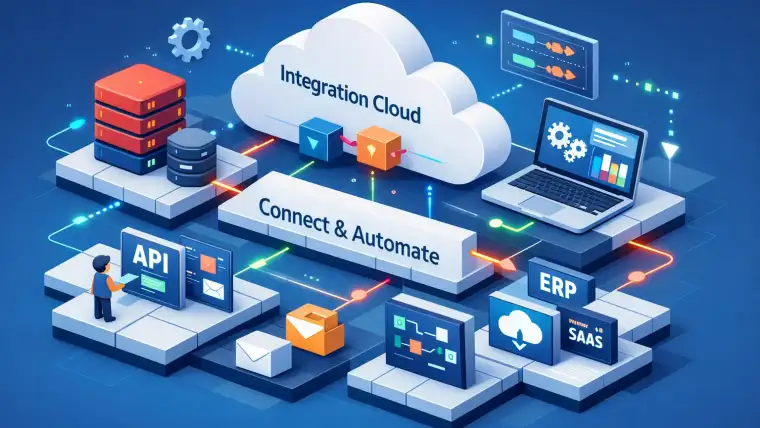
Integration Cloud — enterprise integration and process automation (ideal for Fusion, EBS, third‑party SaaS connectors). For a short comparison summary covering Fusion and EBS migration tradeoffs, see Oracle ERP Cloud (Fusion) vs Oracle EBS (Comparison Summary).
Analytics — managed BI and data-lake interrogation for reporting and ML exploration without managing clusters.
API Platform — lifecycle management for APIs exposing microservices securely.
Functions — serverless for event‑driven workloads and small, bursty services.
Mini case study — Lift‑and‑shift EBS: Using EBS Cloud Manager to move a 12.2-based EBS instance to IaaS is often a 4–8 week project; the environment, customizations and patches stay intact while infra maintenance drops immediately. For practical migration patterns from EBS to cloud, see CloudShine’s guidance and related migration resources on automated approaches.
Mini case study — Invoice pipeline modernization: Moving a reporting and ETL pipeline to Autonomous Database + Integration Cloud + Analytics can eliminate many DBA and ETL maintenance tasks and speed report generation—organizations cite order‑of‑magnitude improvements in query latency when workloads are aligned to the service. To understand how Fusion financials have evolved alongside these PaaS opportunities, review our article on the Evolvement of Oracle Fusion Financials.
Actionable takeaway: Create a one‑page mapping (service → PaaS/IaaS → pilot priority) for your top five workloads before you budget Universal Credits.
Migration playbook — lift‑and‑shift, refactor and hybrid moves
- Inventory & assessment: Record apps, customizations, data volumes, latency and compliance. Use discovery scripts and app dependency maps.
- Decide pattern: Use the three‑question rule to choose lift‑and‑shift (IaaS), refactor to PaaS, or hybrid for each app.
- Pilot: Pick a low‑risk app. Tools: Oracle EBS Cloud Manager, Data Pump/RMAN, FNDLOAD, ORDS, Terraform and OCI CLI. Timebox the pilot to 2–4 weeks of runbooks and tests. If you need help selecting a vendor or partner for this pilot, our guide on How to Choose the Right Oracle Implementation Partner lays out key criteria and selection steps.
- Data migration: Migrate masters first, validate with checksums and automated tests, use transportable tablespaces when appropriate.
- Cutover: Choose big‑bang or phased cutover, have rollback snapshots, and prepare DNS/load‑balancer switching plans.
- Post‑migration optimization: Right‑size shapes, enable backups, set IAM roles/policies, and configure monitoring and alerts.
Risk and compliance must be addressed: enforce encryption at rest/in transit, apply least‑privilege IAM, enable MFA, and confirm region/data residency requirements. Skills required include DBAs, cloud engineers and integration specialists—CloudShine’s live OCI labs and placement‑readiness sessions bridge these gaps for teams and individuals.
Actionable takeaway: Run a 30‑day pilot with defined RTO/RPO and performance targets before scaling the migration program. For teams deciding whether to refactor to Oracle Cloud ERP or keep EBS on IaaS, our practical comparison Oracle ERP Cloud vs Oracle EBS can help prioritize workloads for refactor vs lift‑and‑shift.
Fast checklist, next steps by persona, CloudShine help and FAQs
- Run the three‑question rule on your top three apps.
- Export 90 days of resource consumption and feed it to the OCI estimator.
- Select a pilot workload and schedule a 2‑week pilot runbook.
- Book a practical training slot for one DB/Cloud engineer (CloudShine lab recommended).
Pivoter (experienced IT pros): Run hands‑on Autonomous DB and OCI networking labs, then lead the pilot migration.
Aspirant (graduates): Learn OCI fundamentals, Functions and Integration Cloud to become project‑ready for entry roles.
Enterprise decision‑maker: Commission an assessment, size Universal Credits, and prioritize pilots by risk and ROI.
CloudShine offer: CloudShine runs live, project‑based OCI labs that cover both PaaS (Autonomous DB, Integration Cloud) and IaaS (Compute, VCN) plus placement‑readiness sessions—ideal when you need a practical pilot and skill ramp. If you’re weighing Fusion vs EBS choices during modernization, our comparison and implementation articles (linked above) provide the practical next steps and sample runbooks.
Frequently asked questions
Q: Is Autonomous Database always cheaper than running a DB on IaaS?
A: Not always. Compare licensing, OCPU pricing, and ops headcount. PaaS reduces DBA time but may cost more for sustained, heavy‑compute OLTP unless you factor operational savings.
Q: Can Universal Credits be used for both managed and infrastructure services?
A: Yes for standard public OCI: Universal Credits cover most PaaS and IaaS services. Cloud‑at‑Customer uses different subscription rules—verify with your Oracle rep.
Q: Which OCI services are strictly IaaS?
A: Core IaaS includes Compute (VMs and bare metal), Block Volume, Object Storage, VCN (networking) and Load Balancers—these give you raw infrastructure control.
Q: What’s the best first workload to migrate to OCI?
A: A non‑critical app with modest data volume, clear tests and limited custom drivers—this reduces risk and gives a measurable pilot baseline.
Final step: Do the three‑question test now, pick a pilot, and if you need hands‑on training or a migration runbook, contact CloudShine for a tailored pilot and training program. For additional background on Oracle’s platform vs infrastructure offerings, Oracle’s own overview of IaaS and PaaS is a useful reference.