Direct answer: Oracle Integration Cloud (OIC) gives you a unified, low‑code platform to connect Fusion SaaS with cloud and on‑prem systems using prebuilt adapters, visual orchestration patterns and process automation. This guide shows which integration pattern to pick, how to wire OAuth/connectivity, and how to build and monitor a supplier/customer push end‑to‑end. At CloudShine we teach this exact flow using live Fusion instances and hands‑on labs.
Who should read this: integration developers, Fusion consultants, and CloudShine trainees who need a pragmatic, project-ready reference. By the end you’ll be able to pick a pattern, configure an OIC connection to Fusion, build an App‑Driven orchestration, and apply monitoring and DLQ patterns in production.
1) What OIC actually does for Oracle Fusion — baseline
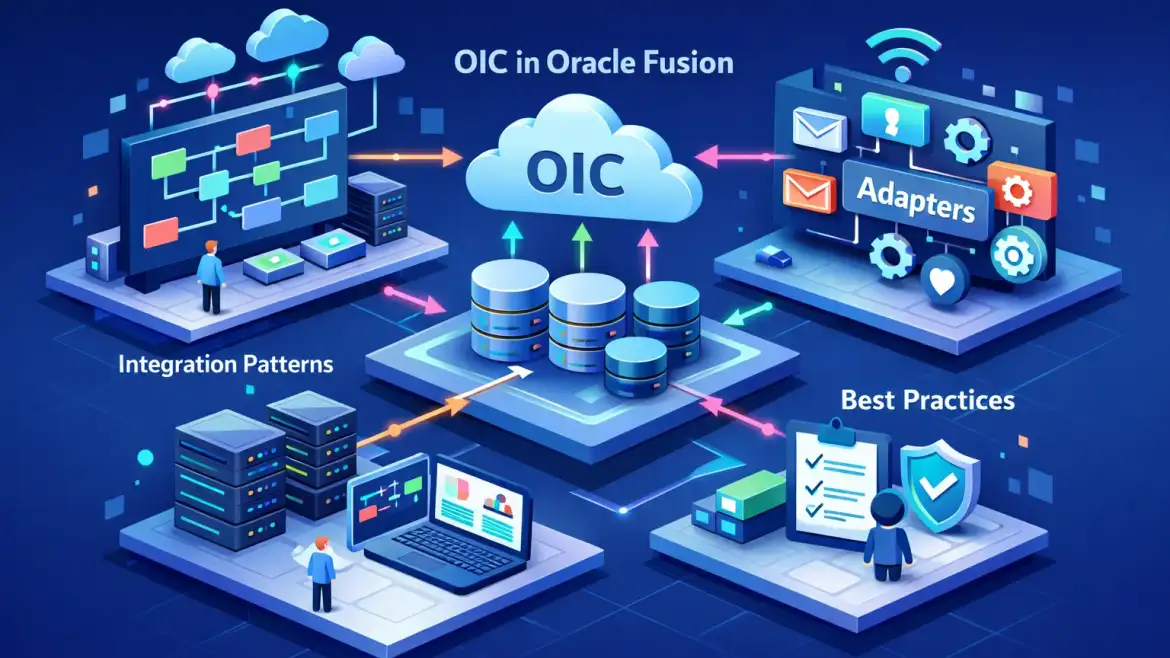
Takeaway: OIC offers integrations, adapters, process automation and a visual app layer so Fusion can exchange data, trigger workflows and expose APIs reliably.
Integrations: Use OIC to orchestrate real‑time or scheduled flows — for example, supplier onboarding from a procurement portal or nightly invoice reconciliation into a 3PL system.
Adapters: Prebuilt Fusion adapters (ERP/HCM/Field Service) and generic REST/SOAP connectors remove hand‑coded auth and schema handling; service discovery speeds development.
Process Cloud: Add human approvals and exception handling (e.g., supplier exceptions routed to procurement approvers) without custom UIs.
Visual Builder: Lightweight UIs that call your OIC integrations for quick extensions—useful for small portals or data correction screens.
When to use OIC vs direct Fusion APIs: pick OIC when you want speed (adapters + templates), central governance and observability. For one-off, simple GETs you can call Fusion REST directly; for anything involving retries, transformations, or cross‑system routing, OIC pays back in maintainability and monitoring. Pro tip: benchmark whether a single record REST call, a 100‑record batch, or an FBDI bulk upload is most cost‑effective for your throughput needs.
2) Pick the right integration pattern (decision logic)
Takeaway: choose the pattern based on volume, latency requirements and whether transactions must be atomic.
App‑driven orchestration (event‑triggered)
Use when Fusion or an external system emits business events and you need near‑real‑time syncs. Example: supplier create in Fusion triggers a push to an external tax validation service and a downstream ERP.
Scheduled orchestration (batch)
Use for non‑urgent reconciliations or nightly syncs where data can be aggregated and validated in bulk.
File transfer / FBDI
Use FBDI when importing very large datasets into Fusion (mass payroll, GL uploads). Generate the CSVs, zip and call Fusion’s import jobs—this scales far better than per‑record REST calls.
Basic routing / point‑to‑point
Minimal transform and routing between two systems; use for simple lookups or enrichment without process logic.
Decision checklist (quick read): consider latency, volume, required atomicity and how errors should be resolved. Avoid calling external APIs one record at a time inside loops — instead batch calls (Fusion REST accepts ~100 records) or use FBDI for bigger loads. If you want further design guidance on selecting and implementing patterns across multiple projects, see our Oracle Fusion Integration Strategies for Seamless Application Connections.
3) Configure authentication & connectivity (practical)
Takeaway: prefer OAuth client_credentials for system‑to‑system calls; use Integration Cloud Agent or OCI FastConnect for private networks.
Steps—high level: create an OAuth confidential application in your Fusion identity domain, note the client_id/secret and token endpoint, then configure an OIC REST connection to use client_credentials. In Fusion IAM select Client Credentials as the grant and ensure the appropriate scope or resource audience is assigned. For a step‑by‑step reference on configuring OAuth using client credentials with OIC, refer to the official Oracle guide on Configuring OAuth authentication using client credentials.
# cURL example (replace placeholders)
curl -u "CLIENT_ID:CLIENT_SECRET" \
  -H "Content-Type: application/x-www-form-urlencoded;charset=UTF-8" \
  -X POST "https://.identity.oraclecloud.com/oauth2/v1/token" \
  -d "grant_type=client_credentials&scope=urn:opc:resource:fusion::boss/"
Other auth options: authorization code for user‑consent scenarios; JWT assertion for higher security; Basic Auth only as a last resort. For private connectivity, deploy the Integration Cloud Agent for on‑prem targets or provision OCI FastConnect/VPN for a private path between OIC and customer networks. Troubleshooting: check token scopes, pod/hostname alignment, and firewall/NAT rules. Store client secrets in OIC’s managed vault and rotate them regularly. For extra reading on REST adapter authentication patterns see Oracle’s documentation on REST adapter authentication support.
4) Prebuilt adapters, accelerators and when to pick them
Takeaway: use the ERP/HCM/Field Service adapters for rapid, reliable Fusion connectivity; fall back to REST/SOAP for unsupported operations.
Oracle ERP Cloud Adapter — auto‑discovers service catalog and supports inbound/outbound operations for suppliers, invoices and business events. Use this for most Procurement/Financial objects.
Oracle HCM Cloud Adapter — event‑driven HR cases and employee syncs.
Fusion Field Service Adapter — for work orders and field data syncing.
REST & SOAP adapters — use when an adapter doesn’t expose a specific endpoint or for third‑party APIs.
Accelerators and recipes live in the Oracle Integration Store; CloudShine provides sample mapping templates and project skeletons in our labs to reduce initial friction. Adapter caveats: respect rate limits, watch supported batch sizes and note differences between adapter operations and raw REST. Mapping guidance: prefer structural mappings, use built‑in functions for small transforms, and centralize reusable mappings or XSLTs to avoid duplication.
5) Build it: step‑by‑step sample — push a supplier into Fusion
Takeaway: an App‑Driven Orchestration with a REST trigger is the fastest demo path to show OIC→Fusion supplier creation.
- Create two Connections in OIC: a REST Connection (external trigger) and an Oracle ERP Cloud Adapter connection (Fusion target). Test both connections from the Designer.
- Create a new App‑Driven Orchestration integration, set the REST trigger path (POST /suppliers) and upload a sample request schema.
- On the canvas drag trigger → mapper → ERP invoke (select createSupplier). Map fields; test the mapper with sample data:
{ "SupplierName":"Acme Corp","TaxId":"12345","Address":{"City":"Bengaluru"} } - Add a Business Identifier (use TaxId) to track instances in Monitoring and set a fault policy: retry x3 with exponential backoff, then route to a DLQ (FTP or DB).
- Save, Activate and test with Postman. Verify the instance in OIC Monitoring and confirm the supplier exists in Fusion (Manage Suppliers or GET API).
For a concise tutorial on creating your first integration in OIC, Oracle’s official walkthrough is a useful companion to this example: Create your first integration.
Testing checklist: confirm HTTP response codes, inspect the activity stream for transformer logs, check business identifier values, and validate the target object in Fusion UI or via REST GET. Troubleshooting: re‑run connection tests, check token lifetime, and validate the adapter’s service catalog for the expected operation. For large volumes switch to FBDI or batch endpoints rather than repeating this flow record‑by‑record.
6) Best practices, monitoring, and rollout checklist
Takeaway: plan for retries, throttling, governance and observability before go‑live.
Monitoring & observability: use OIC Monitoring dashboard, activity stream and business identifiers. Configure OCI Notifications or email alerts for failed instances and SLA breaches so ops teams see problems immediately.
Error handling & reliability: implement scope‑level fault handlers, an exponential backoff retry loop and a dead‑letter pattern (parking table or error folder). Use idempotency keys (business identifiers) to prevent duplicates on retries. For a broader set of recommended practices, the CloudShine labs and our article on System Integration Flows: Best Practices and Techniques provide patterns and reusable artifacts.
Security & governance: adopt least‑privilege OAuth clients, rotate secrets, and separate environments (dev/test/prod) with naming conventions and package versioning. See our post on Optimizing Oracle Fusion Security: Best Practices for Consultants for practical controls and checklist items.
Performance: prefer bulk endpoints and FBDI for volume; tune concurrency and respect adapter throttle limits. For a short summary of OIC’s core capabilities to help prioritize which features to adopt first, this external primer on OIC features is helpful: What are the three main features of OIC?
Production rollout checklist (copy/paste):
- Validate credentials and token expiry windows
- Load test representative payloads and batch sizes
- Enable monitoring, tracing and alerts for failed instances
- Configure DLQ and documented recovery steps
- Publish runbooks, rollback steps and contact lists
CloudShine help: CloudShine’s OIC+Fusion labs provide live Fusion instances, sample integration templates and mentor‑led troubleshooting—useful to convert this guide into hands‑on experience before you deploy to production. If you need guidance on delivering ERP projects end‑to‑end, read about The Role of an Oracle Fusion Consultant in Successful ERP Implementation and how CloudShine mentors help bridge the gap between training and production delivery. For broader ERP considerations see our overview of Oracle Cloud ERP: Benefits, Challenges and best practices in Implementation.
FAQs
Which auth method should I use for system‑to‑system OIC→Fusion integrations?
Use OAuth 2.0 client_credentials for two‑legged, system‑to‑system flows. It’s secure, aligns with IDCS and integrates easily with the OIC REST adapter. Use JWT assertion for higher security requirements.
When should I use the ERP Cloud Adapter vs the REST Adapter?
Use the ERP adapter when it exposes the business object you need (suppliers, invoices) because it handles discovery and transforms. Use REST when you need unsupported endpoints, custom APIs or non‑Oracle targets.
How do I handle bulk supplier/customer loads into Fusion?
Use FBDI: populate Oracle’s templates, generate CSVs, zip with properties file, upload to UCM and run the import job. Automate FBDI generation from OIC for large volumes.
Do I need Integration Cloud Agent to connect to Fusion?
No—cloud‑to‑cloud typically uses public HTTPS and OAuth. Use the Integration Cloud Agent for on‑prem targets or when you require private network access.
Where do I monitor OIC flows and set alerts?
Use the OIC Monitoring dashboard, Activity Stream and Business Identifiers for instance tracking. Hook alerts to OCI Notifications or email for failed instances and SLA breaches.
Actionable takeaway — do this in an hour
- Pick a pattern (event, scheduled, or FBDI) based on latency and volume.
- Provision two connections in OIC: REST trigger and ERP adapter to Fusion.
- Create OAuth client_credentials in Fusion IAM and configure the OIC REST connection.
- Build a minimal App‑Driven orchestration: trigger → mapper → createSupplier invoke.
- Enable monitoring, add a business identifier, and configure a simple DLQ for failures.
That sequence turns a concept into a working integration you can iterate on. If you want hands‑on guidance, CloudShine’s labs let you practice with live Fusion instances and mentor feedback so you can move from learning to delivery quickly.