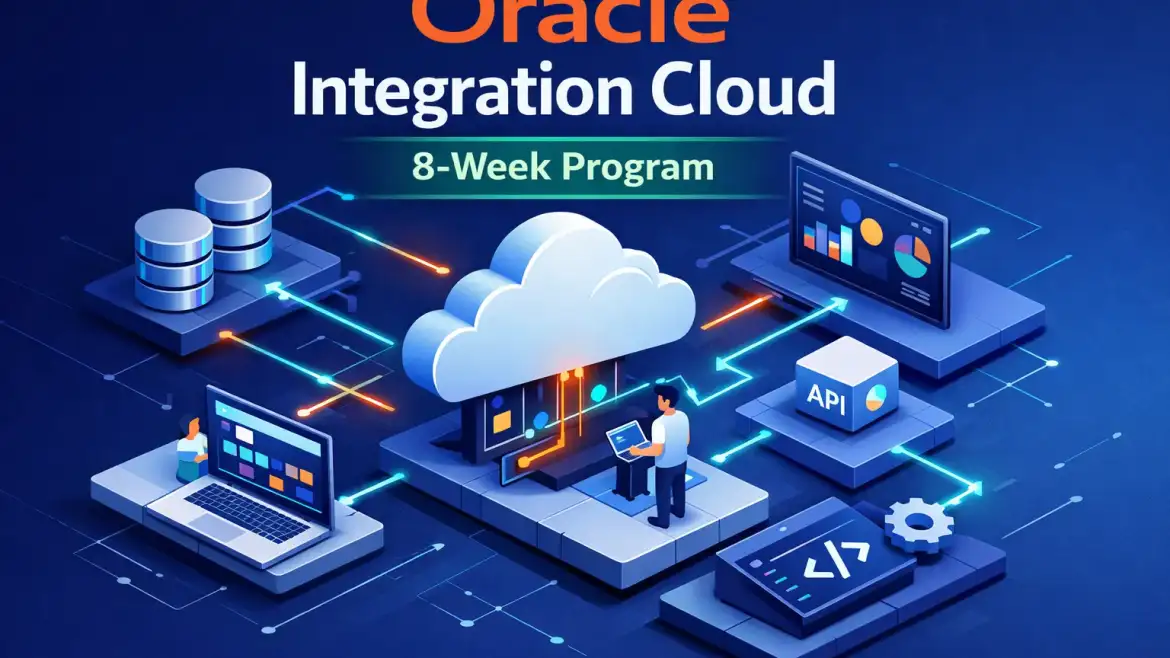
Direct answer: If you want to learn Oracle Integration Cloud and be job‑ready, follow this 8‑week hands‑on program: after eight weeks you’ll be able to build, monitor, and troubleshoot production‑grade integrations, complete 2–3 portfolio projects, and be ready to pursue the OCI Application Integration certification. CloudShine provides practical bootcamps with live OIC instances, mentor hours and placement support if you prefer guided practice.
What this 8‑week plan delivers (outcomes & how to use it)
Direct answer: By the end you’ll be comfortable with connections and adapters, data mapping and transformations, fault handling and retries, monitoring with Integration Insight, export/import for DevOps, and at least one end‑to‑end SaaS sync. You’ll also have 2–3 deliverables (integration ZIPs, Postman collections, run logs) suitable for interviews.
Why this works: passive watching teaches concepts; building teaches engineering judgment. The Practical Pro approach here is test small, measure, iterate — design a tiny integration, break it, fix it, then expand. That sequence compresses learning time and produces artefacts you can show employers.
Practical starting checklist you can paste into your task manager: commit 6–10 hours/week (scale up to 12–15 for a 4‑week sprint), secure lab access (OCI trial, Luna Labs or CloudShine labs), build your first REST trigger and a REST→DB flow, create a scheduled file job, and complete one hybrid SaaS→SaaS sync as the capstone.
Actionable takeaway: Block two lab sessions this weekend and create a tiny “Hello‑World” REST integration in your first session.
A week‑by‑week practical roadmap (flexible 4–8 week plan)
Direct answer: This plan scales: compress weeks for a sprint or stretch them for part‑time learning. Each week builds testable skills — fundamentals → adapters & patterns → mapping & error handling → automation → hybrid scenarios → DevOps and certification polish.
The structure matters: each week includes one measurable deliverable you can run and screenshot. Treat failures as data: log them, apply a fix, and re‑run.
Week 1 — Foundations
Sign up for OCI Free Tier or Luna Labs, explore the OIC console (see navigating the OIC user interface), and learn REST vs SOAP basics. Deliverable: a “Hello World” trigger that echoes input back to Postman with an active integration.
Week 2 — Adapters & connections
Build connections: REST, Database and FTP. Test with Postman and a local DB (or Autonomous DB). Deliverable: a REST → DB insert integration with successful Postman tests.
Week 3 — Data mapping and fault handling
Master the mapper, assign actions and expression functions. Create a fault policy and exercise retries. Deliverable: XML/JSON mapping plus a simulated mapper error showing fault policy behavior.
Week 4 — Scheduling, file processing and monitoring
Implement scheduled polling, file parsing (CSV→JSON), and set up Insight dashboards for runtime visibility. Deliverable: scheduled SFTP→DB job with an Insight chart that shows runs and errors.
Week 5 — SaaS adapters and hybrid connectivity
Configure SaaS adapters and the Connectivity Agent for on‑prem resources. Deliverable: a basic ServiceNow → Oracle Fusion supplier sync (demo data).
Week 6 — Process automation & Visual Builder basics
Design a simple approval flow integrating OIC with Visual Builder or a low‑code approval form. Deliverable: an approval workflow that pauses and resumes based on a manual approval action.
Week 7 — DevOps: export/import and CI/CD
Practice exporting integrations (ZIP), versioning artifacts, and a CI/CD checklist (export, import to test tenancy, smoke tests). This week is also a buffer for fixes.
Week 8 — Certification prep and portfolio polish
Take mock exams, map Oracle learning objectives to your labs, finalize documentation: README, architecture diagram, test outputs. Deliverable: a polished project repo and scheduled exam date.
Resources: Oracle docs and tutorials, Luna/LiveLabs sessions, official Oracle University learning paths, our Practical Quick‑Start Guide, and compact YouTube walkthroughs (search “Oracle Integration Cloud 3 tutorials”). For guided, hands‑on lab exercises see the K21 Academy step‑by‑step lab walkthroughs.
Actionable takeaway: Choose the 4‑week sprint or 8‑week steady pace now and block the same weekly slots on your calendar for the next two months.
Get hands‑on: set up your OIC practice environment (OCI Free Tier, Luna Labs, CloudShine labs)
Direct answer: You need a live OIC instance to learn integrator skills. Use the OCI trial credits for extended practice, Luna Labs for short sandboxes, or CloudShine for continuous lab access with mentor support.
Note on limits: Oracle Integration is not Always Free — it uses trial credit. Luna Labs gives short timed sandboxes without a credit card. Live instances let you test real adapters and the Connectivity Agent, which is essential for hybrid scenarios.
- Create an Oracle account and sign up for OCI Free Tier details (verify card; note $300/30 days trial vs Always Free differences).
- In OCI Console: Developer Services → Integration → Create instance (select compartment, region and edition).
- Open the Integration Console, create a compartment/service user, and create your first connection (REST) to validate connectivity.
- Alternative: go to luna.oracle.com, find OIC labs and launch a temporary sandbox for one‑hour sessions. For a short guide on creating a free trial OIC instance see this community post: create a free trial OIC instance.
- CloudShine option: enroll in a bootcamp to get extended live instance access, mentor hours and placement coaching under the 60:24 practical rule (see our CloudShine Quick‑Start for bootcamp details).
Troubleshooting tips: If you can’t see Integration in your region, check home‑region selection; for agents, ensure firewall allows outbound HTTPS to Oracle endpoints and open the required ports for the agent host.
Actionable takeaway: Provision one test integration within 45 minutes following step 1–3 above; note the console URLs and save credentials securely.
Core OIC concepts, adapters and integration patterns you must master
Direct answer: Focus on connections/adapters, triggers/invokes, mapping, orchestration, fault policies and Integration Insight. Master these and you can design resilient production integrations.
Each concept explained briefly, with a practical micro‑exercise:
Connections & adapters
One‑line: adapters are prebuilt connectors (REST, DB, FTP, SaaS). Exercise: create REST, Database and FTP connections and validate with Postman and a sample query.
Mapping & transformations
One‑line: use the visual mapper to convert JSON↔XML and apply functions. Exercise: map a CSV→JSON pipeline and validate field transforms.
Integration patterns
One‑line: scheduled polling, event‑driven webhooks, request/response and pub/sub are the building blocks. Exercise: implement a scheduled file poll and a webhook trigger for near‑real‑time updates.
Fault handling & monitoring
One‑line: fault policies prevent silent failures; Insight surfaces runtime patterns. Exercise: force a mapper error and observe error logs, retries and Insight metrics.
Hybrid & Connectivity Agent
One‑line: the agent enables secure on‑prem access. Exercise: register an agent and transfer a sample file from a local VM to cloud storage through OIC.
Actionable takeaway: Run one 60–90 minute lab per concept and export the integration ZIP plus screenshots as proof of work.
Three practical sample projects (beginner → hybrid production)
Direct answer: Build these three projects to create interview‑ready deliverables: a quick REST→DB starter, a scheduled SFTP file pipeline, and a hybrid SaaS sync with conflict handling.
Project A — Beginner (1–3 hours): REST echo → DB write
Goal: REST trigger, map payload to DB insert, test with Postman. Deliverables: integration ZIP, Postman collection, one‑page README with setup steps.
Project B — Intermediate (1–2 days): Scheduled file processing (SFTP → DB → Notification)
Goal: scheduled poll of SFTP, transform CSV→JSON, upsert DB, send email on failures. Deliverables: sample data, integration ZIP, Insight run logs showing successful runs and handled errors.
Project C — Advanced (2–7 days): Hybrid SaaS sync (ServiceNow → Oracle Fusion supplier sync)
Goal: secure REST/SOAP connections, agent for on‑prem fields, mapping, conflict resolution logic, fault policies and monitoring. Deliverables: runnable integration, mapping docs, test cases and deployment notes.
Interview tips: For each project include a simple architecture diagram, test outputs (screenshots or logs), and a short note on what you’d change for production (idempotency, batching, scaling limits). If you’re aiming for Fusion roles, read our guide on the path to becoming an Oracle Fusion consultant and consider fast Oracle Fusion SCM training to round out your profile.
Actionable takeaway: Start Project A this week and push artifacts to a GitHub repo you can link in interviews.
Certification strategy, recommended courses and FAQs
Direct answer: Aim for the OCI Application Integration Professional certification (current track) and pair Oracle University learning paths with hands‑on labs. The 1Z0‑1042‑26 code maps to integration design, adapters, orchestration, scheduled integrations and troubleshooting.
Certification plan: map each exam objective to a lab in your portfolio. Spend 2–4 focused weeks of revision, do 5–10 hands‑on labs that mimic exam scenarios, and take 2–3 mock tests. For a deep dive into certification objectives see our Oracle Integration Cloud Service Certification guide and check the official Oracle University certification pages for current exam details.
Recommended learning resources:
Oracle University — official, certification‑aligned courses and labs; use for objective mapping. K21 Academy / Apps2Fusion — step‑by‑step lab walkthroughs for common scenarios. CloudShine bootcamp — live instances, mentor guidance and placement coaching for accelerated readiness. For official product details and integration capabilities see the Oracle Integration product page.
FAQ
Can I use OCI Always Free to practice OIC?
Short answer: no. Oracle Integration Cloud is not part of Always Free; use the $300/30‑day trial credits or Luna Labs for temporary sandboxes.
How long until I’m job‑ready?
With full‑time focus you can reach job‑readiness in 4–8 weeks; part‑time learners typically need 8–12 weeks to build the same portfolio and confidence.
Do I need strong programming skills?
No. Most work is configuration, mapping and expression writing. Basic JSON/XML familiarity and simple scripting helps but heavy coding is rarely required.
Which certification should I pick first?
Target the Application Integration Professional track aligned to OIC (check Oracle University for the current exam code and objectives). Map each objective to a lab before scheduling the exam.
Conclusion & next steps
One‑line: This practical 8‑week path turns concepts into demonstrable skills — live integrations, monitoring, error handling, and a portfolio you can show recruiters.
Three‑step CTA: 1) Provision a lab (OCI trial or Luna Labs) this weekend, 2) build Project A and commit artifacts to GitHub, 3) if you want mentor‑led practice or placement help, contact CloudShine to discuss the OIC bootcamp and live instance access.
Further reading: for step‑by‑step labs and extended practice guides see the K21 Academy walkthroughs linked above, and refer to the official OCI Free Tier documentation when you provision your tenancy.