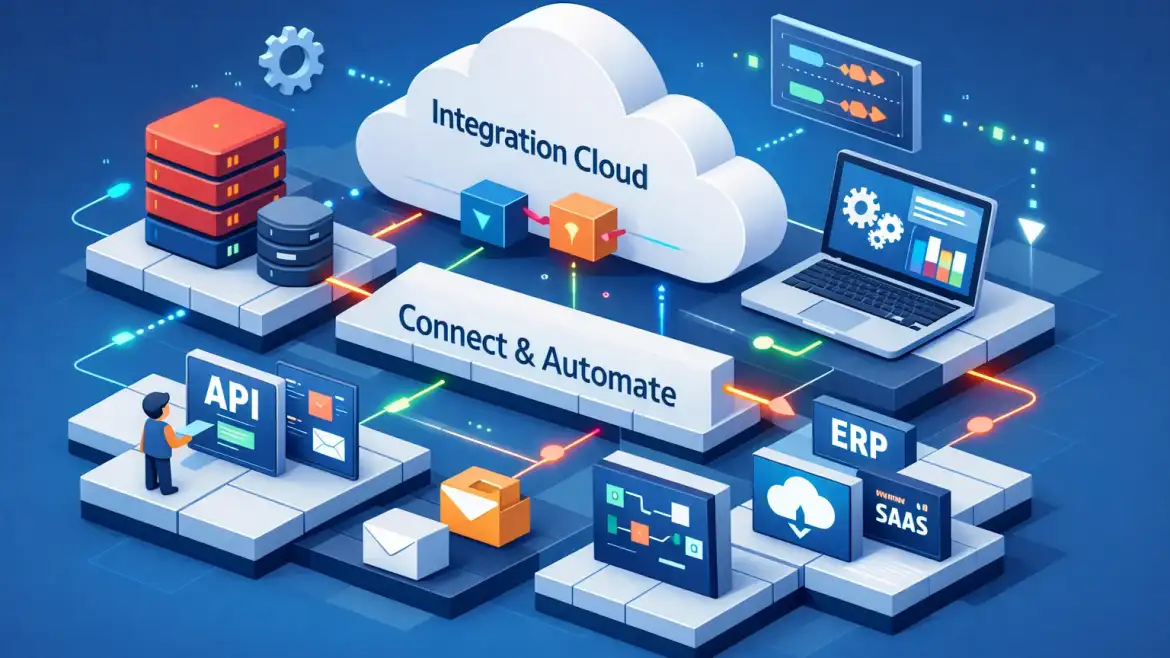
Direct answer: This article gives a hands‑on path to provision a trial Oracle Integration Cloud (OIC) instance, build a simple Service→Sales mapping, and harden the flow for production. Read it end‑to‑end, follow the checklists, and you’ll have a deployable integration and a production readiness checklist you can reuse.
1) How OIC actually works — core components and architecture
At its heart OIC is a low‑code integration platform: triggers start flows, adapters connect systems, the visual mapper transforms payloads, and the runtime executes with optional on‑prem connectivity via an agent. Think of it as the conductor between apps, databases, and files.
| Component | Purpose |
|---|---|
| Adapters / Connections | Prebuilt connectors for SaaS, DBs, REST/SOAP, FTP, Kafka—abstract auth and operations. |
| Integrations | Visual flows: trigger → transform → invoke; supports orchestration and basic routing. |
| Visual Mapper | Drag/drop field mapping, XPath functions, and simple expression language for transforms. |
| Process Automation | Human tasks and approvals layered over integrations (when you need people in the loop — see Understanding Fusion Purchasing Approvals Hierachy). |
| Connectivity Agent | Outbound, SSL‑based bridge for on‑prem systems—no inbound firewall ports required. See Unable to Create Procurement Agent | Create A Supplier for Procurement | Cloudshine for agent‑related troubleshooting notes. |
| API/Management | Expose integrations as managed APIs and apply lifecycle policies. |
Design time vs runtime: the console shows design‑time objects (integrations, connections, packages) while runtime exposes activity streams, traces, and endpoints. Expect different URLs for the design UI and execution endpoints; that separation matters for debugging and deployment automation.
Generation note: Gen3 is the OCI‑native model with clearer design/runtime layering and better VCN options; Gen2 is legacy. Confirm which generation your tenancy uses before finalizing network design.
Actionable takeaway: draw a simple box diagram—source → connectivity agent (if on‑prem) → OIC runtime → adapter → target—and use that as your deployment checklist.
2) Provision an OIC trial and prepare a workspace (hands‑on)
Provisioning a trial is quick and the fastest way to learn is by doing. The steps below are the minimal path I use to get a dev workspace ready. For a step‑by‑step guide to creating a trial instance, you can also create a free trial OIC instance following a community walkthrough.
- Sign in to cloud.oracle.com → OCI Console → Developer Services → Application Integration → Integration.
- Create an Integration instance: choose compartment and region, pick an edition (Enterprise for full adapters), select a small shape and message packs for trial, then create and wait for Active.
- Identity & access: configure an OCI/IDCS user with a developer role and create a service account for automation or CI/CD tasks; apply least‑privilege RBAC from the start.
- Connectivity basics: decide if you need the on‑prem connectivity agent or a VCN/service gateway; verify outbound TLS (port 443) from agent hosts and confirm any corporate proxy settings.
CloudShine note: CloudShine’s practical sessions provide preconfigured instances and demo data so you can focus on mapping and testing rather than spending hours on networking setup.
Quick verifications: confirm design/runtime URLs, create a test compartment, enable logging and tracing for the instance (dev only), and save credentials in the secure store.
3) Choosing connectors and adapters — a practical decision flow
Start with the prebuilt adapter if one exists for your application—it usually saves mapping time and handles quirks. If not, connect via REST or SOAP adapters. For files use FTP/File or Stage File, and for on‑prem DBs use the DB adapter combined with the connectivity agent.
Oracle frequently updates the adapter portfolio; check official guidance on new adapters and connectivity enhancements to confirm availability and feature notes.
Adapter categories covered in practice include Oracle SaaS adapters (ERP/HCM), third‑party SaaS (Salesforce, ServiceNow), database adapters, protocol adapters (REST/SOAP/FTP), messaging (Kafka, JMS), and specialty adapters for FHIR or e‑invoicing.
Selection criteria to record before you create a connection: authentication method, expected payload size and throughput, transactional guarantees, attachment/binary support, and schema complexity. Treat this as the “connection contract” and store it in your design notes.
4) Build, map and deploy a simple integration — step‑by‑step example
Example: sync an Organization in Service Cloud to an Account in Sales Cloud. These are the concrete steps to follow in the OIC UI.
- Create two connections: source (Service Cloud) and target (Sales Cloud). Configure WSDL/OAuth as required and store credentials securely.
- Designer → Integrations → New Integration → choose Basic Map. Name the integration and place it in a package.
- Configure the trigger: pick the Service Cloud connection and select the event/resource that starts the flow; set response type (one‑way vs two‑way).
- Configure invoke: select the Sales Cloud operation (e.g., createAccount) and map the operation parameters.
- Map data with the visual mapper: drag fields, use simple transforms (concat, date formatting), and add expression logic for conditional mapping.
- Add error handling: wrap the sequence with a scope and fault handler; configure retries and a dead‑letter process (push to queue or table).
- Activate and test: enable the integration, send test payloads, and use the activity stream and trace tool to verify end‑to‑end behavior.
Common gotchas: credential scope mismatches, WSDL version differences, missing required target fields, and connectivity agent offline. If a trace shows a 401 or 404, verify stored credentials and WSDL URLs first.
5) Production hardening — security, error handling, monitoring and observability
Security first: enforce least‑privilege IAM, enable MFA, prefer OAuth or client certificates, keep credentials in the secure store, and require TLS everywhere. Limit design‑time console access to trusted IPs or admin roles.
Networking: use VCNs, NSGs and proper route tables; for reliable on‑prem connectivity prefer the agent with outbound TLS or FastConnect for high throughput scenarios. If you need installation guidance for the on‑prem agent, review the vendor documentation for connectivity agent installation steps. Avoid exposing internal systems directly to public internet.
Error handling and resilience: implement retries with exponential backoff, idempotency tokens for safe replays, and a poison message strategy that moves failures to a dead‑letter sink for offline investigation.
Monitoring & observability: enable activity stream logging, forward logs to OCI Logging Analytics, and create metric alarms for failed integrations per minute and latency percentiles. Use correlation IDs in payloads for end‑to‑end tracing across systems.
Operational hygiene: adopt naming/versioning conventions, automate package exports for backups, stage changes in pre‑production, and plan controlled rollouts with rollback steps.
Actionable readiness: before cutover verify credentials, network paths, SLA tests, tracing, and alerts are in place and tested. For API‑led designs consider Oracle’s official guidance on Application Integration to align with platform best practices.
6) Enterprise patterns, troubleshooting checklist, and next steps (the CloudShine path)
Common enterprise patterns work well in OIC:
Event‑driven (near‑real‑time) — use business events from ERP/HCM to push updates downstream for order‑to‑cash or hire‑to‑retire flows.
Adapter‑centric (system sync) — use app adapters for master data replication like customer or supplier syncs (see Oracle Fusion Self Service Procurement Important Roles for procurement role context).
Batch/Stage File — use stage file or scheduled integrations for bulk imports (payroll, large HR exports).
API‑led — expose integration logic as managed APIs to encourage reuse across projects.
Troubleshooting checklist: ping the design/runtime endpoints, validate credentials, confirm the connectivity agent is online, check WSDL/schema versions, and inspect mapper validation and activity stream traces for error details. Many integration‑level issues map to application finance mappings — if you’re working on accounting flows, see Common Errors in Oracle Fusion Cost Accounting, CloudShine for typical mistakes and fixes.
Next steps: pick a single use case in your environment and run the trial end‑to‑end. If you want guided practice, CloudShine runs live instructor‑led OIC sessions with preconfigured labs, a 60:24 training/lab split, and mentor feedback—designed to move you from “followed steps” to “delivered a production integration.” For finance‑focused integrations and role alignment, review Oracle Fusion Finance Important Roles | Roles in Fusion Applications | CloudShine.
Conclusion & next steps
Two concrete actions: provision a trial and build the Service→Sales mapping described above; then apply the production checklist in section 5 and run SLA tests. If you prefer guided labs, join CloudShine’s practical sessions to practice on live instances and get mentor feedback.
FAQs
What’s the fastest way to provision an OIC trial? Sign up for an OCI Free Tier/trial at cloud.oracle.com, go to Developer Services → Application Integration → Integration, and create a small Integration instance (5–10 minutes to become active).
Can OIC connect to on‑premises databases and systems? Yes—install the OIC connectivity agent on an on‑prem host (agent initiates TLS outbound connections), or use a VCN/FastConnect pattern for private connectivity.
What’s the key difference between Gen2 and Gen3? Gen3 is OCI‑native with a clearer design/runtime separation, microservices/runtime scalability, improved observability, and modern connectivity options; confirm your tenancy generation before finalizing network design.
When should I use the REST adapter vs an app‑specific adapter? Use an app‑specific adapter when available (less mapping and built‑in operations); use REST/SOAP adapters when you need generic API access or the app has an open REST API.
How do I monitor OIC integrations and set alerts? Enable activity stream logging, route logs to OCI Logging Analytics, create metric alarms for failures and latency, and include correlation IDs in payloads for cross‑system tracing.