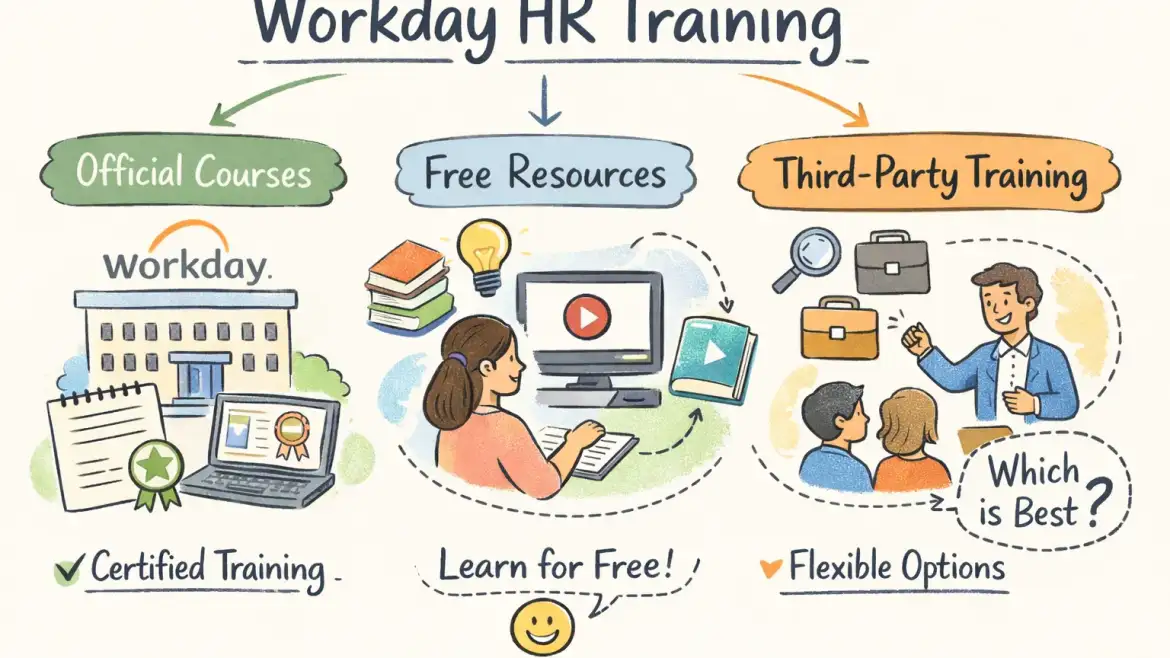
If you’re choosing workday hr training, pick the path that matches your outcome: official training for employer/partner recognition, third‑party bootcamps for fast, job‑ready skill development with tenant practice, or free/open courses for everyday user skills. At CloudShine we run a placement‑focused Workday HCM bootcamp that follows this exact rubric — live labs, project portfolio, and interview support for career pivoters.
How to decide: a simple rubric for picking the right path
Match the learning pathway to the role you want. Simple rules cut wasted time and money.
- Outcome: Business user, admin, or consultant? Your end role determines the depth required.
- Access: Do you need tenant access and real configuration labs or only guided demos?
- Time & Budget: Short audit (free) → ₹700 Udemy; hands‑on bootcamp or partner training → ₹20,000–$2,500+ depending on live instance and placement support.
Role guidance in one line each: an HR generalist can start with free Workday Basics and an employer sandbox; an admin aspirant needs targeted third‑party or official admin tracks with labs; a career pivoter or aspiring consultant should choose a partner‑backed or premium bootcamp that includes live projects and placement help.
Actionable takeaway: eliminate 1–2 options immediately. If you need admin rights or consulting roles, cross out purely video courses; if you only need basic day‑to‑day use, cross out paid bootcamps.
Official Workday programs: what they cover, who qualifies, and typical costs
Workday’s official learning ranges from Workday Basics and Workday in Action (open, on‑demand business user content) to Workday Pro certifications (HCM Core, Benefits, Compensation, Recruiting, Payroll, Learning, Platform Admin). Basics are accessible to everyone; Pro certifications are commonly available to Workday employees, customers, or partner staff.
Eligibility & access: Expect official Pro tracks to require employer or partner sponsorship for tenant access and exam enrollment. Some partners can enroll individuals via learning credits, so partner‑mediated routes exist.
Exam format (example): Pro Core exams are frequently described as ~50 questions, ~100 minutes, with an ~80% pass threshold and certificate validity often cited around two years. Confirm live details on Workday’s learning portal before booking.
Pricing reality check: Workday’s public pages rarely list full prices; industry reporting and provider data place exam fees around $800 per attempt and course bundles or partner packages starting in the low thousands. Corporate sponsorship is often the cleanest path to avoid these costs.
Pros: official badge, direct materials, employer recognition. Cons: limited direct access for independents, enterprise pricing, and certification availability often restricted to sponsored learners.
Actionable takeaway: if your employer will sponsor you, take the official route. If not, use partner‑mediated enrollment or a third‑party provider that provides tenant access and project work.
Third‑party courses that actually get you job‑ready — what to look for and a provider shortlist
Not all third‑party training is equal. Prioritize providers that give configuration access, project experience, and career support. Compare providers such as Online IT Guru for live+LMS formats and demonstrable placement outcomes.
- Tenant or simulated instance access for real configuration practice.
- Several hands‑on projects that you can include in a portfolio.
- Trainer industry experience and active mentor support.
- Placement help: resume review, mock interviews, and hiring introductions.
- Transparent pricing and replay or lifetime access to materials.
| Provider | Format | Hands‑On | Placement | Price (approx.) |
|---|---|---|---|---|
| Online IT Guru | Live + LMS | 2 projects | Yes | ₹18,040 |
| Multisoft Virtual Academy | Instructor‑led | Yes | Limited | ₹30,000 |
| ERP Cloud Training | Live | Projects | Yes | $2,499+ |
| Udemy | Self‑paced | No | No | ₹700 |
| CloudFoundation / ZaranTech | Self‑paced + labs | Some labs | Varies | Free → $599 |
Where CloudShine fits: our Workday HCM offering follows a 100% practical curriculum with live cloud instance access where available, mentors with 15+ years of implementation experience, and a dedicated placement cell that covers resume building and mock interviews. If your projects touch procurement or supply chain, see our intro to SCM modules in cloud applications to understand common integration points. We position the program for career pivoters and aspirants who need a short, practical route to employability and real project artifacts.
Tradeoffs and price guidance: low‑cost options are fine for familiarization; justify higher spend when the course includes verified tenant access and placement outcomes. Ask for a lab demo and recent placement stats before you pay.
Free and open‑enrollment routes: what they teach and when they’re enough
Useful free resources exist and are a smart first step. Workday Basics (Learn with Workday) is roughly a ten‑hour on‑demand series open to everyone and covers navigation, basic business processes, and fundamental reporting. Coursera offers a Workday HCM business user course free to audit. CloudFoundation and several YouTube walkthroughs provide additional no‑cost orientation.
What they do well: teach navigation, day‑to‑day HR tasks, and reporting awareness — ideal for HR users or to test interest. What they don’t do: provide admin privileges, partner‑level tenant access, or directly qualify you for Pro certification.
Two‑week audit plan (practical): Week 1 — complete Workday Basics and one Coursera module; practice navigation and take notes on data model terms. Week 2 — follow a CloudFoundation walkthrough to create one sample report and evaluate whether you need live tenant practice. Use these results to decide on bootcamp investment.
Actionable takeaway: start free to validate fit; only pay for bootcamps when you need tenant practice and placement outcomes.
A practical learning path to Workday HCM certification — week‑by‑week plans and exam checklist
Sequence the learning: HCM Core first (shared vocabulary and data model), then Recruiting, then Payroll, followed by Compensation/Benefits/Talent as needed. Core is the foundation for configuration and integrations.
Estimated study hours: HCM Core 40–80 hours (including labs); Recruiting 20–40 hours; Payroll 40–60 hours depending on payroll rules. Expect a realistic path to basic certification in 2–3 months full‑time or 3–6 months part‑time.
Sample fast track (8 weeks): weeks 1–3 HCM Core with daily labs; weeks 4–5 Recruiting and mock scenarios; weeks 6–7 Payroll basics and one portfolio project; week 8 mock exams and interview preparation. Steady track (12 weeks): evenings/weekends covering the same modules with extended lab practice and staged portfolio reviews.
Exam day checklist: stable internet, proctoring software installed, government ID, quiet room. Study checklist: hands‑on practice, business process scenarios, sample report writing. Passing strategy: aim for 80%+ in practice quizzes, time management on the real test, and re‑run key configuration exercises until you can reproduce them confidently.
Portfolio items hiring managers want: a hire‑to‑retire business process configuration, one custom report, a security role exercise such as an Inventory Management View Only Role Creation, and a sample data load/migration worksheet.
Actionable takeaway: pick one real business problem (for example, hire‑to‑retire) and rebuild it in your lab — that’s the single most effective hiring display.
Enrollment logistics, access workarounds, and FAQs
Enrollment checklist — Official: confirm employer/partner sponsorship, request Workday Learn access, then schedule core courses. Partner route: identify an authorized partner who can purchase tenant seats and enroll individuals. Third‑party: verify tenant and project claims, request a sample lab, and check placement statistics. Coursera/free: enroll and save screenshots of completion for your portfolio.
Common access workarounds: employer training budgets, partner‑bought seats, or high‑quality simulators and recorded tenant walkthroughs when live tenant access is unavailable.
Sample email to request employer sponsorship:
Subject: Request: Workday HCM Training Sponsorship
Hi [Manager], I’d like to request sponsorship for Workday HCM training (core + recruiting). This will reduce support tickets and speed up process configuration for our team. Course includes live labs and a placement/project deliverable I can use to immediately support [project]. Cost estimate: [amount]. Happy to discuss ROI and timing.
How to verify a provider: ask for a recorded lab demo, trainer CVs, LinkedIn outcomes for recent graduates, and verifiable testimonials. Ask specifically for role configuration examples (for instance, self‑service procurement roles or inventory management roles) so you can validate real configuration experience. For payment, look for EMI options, student discounts, or employer reimbursement.
Can I get Workday Pro certification if I’m not a partner or customer?
Short answer: sometimes. Workday Basics is open to everyone; many Pro certifications require partner/customer status, but partner‑mediated enrollment or paid third‑party routes can create access. For practical steps and industry tips on getting certified independently, see resources like how to get Workday HCM certification.
How long does a Workday HCM certification stay valid?
Community reporting commonly cites a two‑year validity for individual certifications; verify the current policy on Workday’s learning portal.
Will employers accept third‑party training?
Yes — if it includes demonstrable hands‑on projects, a portfolio, and mentor validation. Third‑party credentials plus real artifacts often beat theoretical certificates alone.
How long until I can land a Workday HR job?
With focused labs, a portfolio, and placement support, motivated learners can land roles in roughly 2–4 months; without hands‑on practice it typically takes longer.
Is a free course enough to become an admin?
No. Free courses are excellent for users; admins and consultants need tenant practice, configuration work, and exposure to business processes that free materials rarely provide.
- Audit Workday Basics today and save completion badges.
- Shortlist two providers and request a recorded lab demo before paying.
- If you want placement support, book a 30‑minute career call to review portfolio and role fit with a CloudShine mentor.
Summary: Choose the learning path that matches the role you want — basics for users, partner/official for employer‑recognized certification, and third‑party bootcamps for fast, job‑ready transition with tenant practice. If you need a placement‑focused route with live labs and interview coaching, CloudShine’s practical bootcamp is built exactly for that outcome; book a short career call to evaluate fit. If you’re exploring career pivot frameworks outside tech, you may also find a step‑by‑step guide for becoming a fitness trainer useful: Szeretnél fitness edző lenni? Lépésről lépésre 2026-ban.