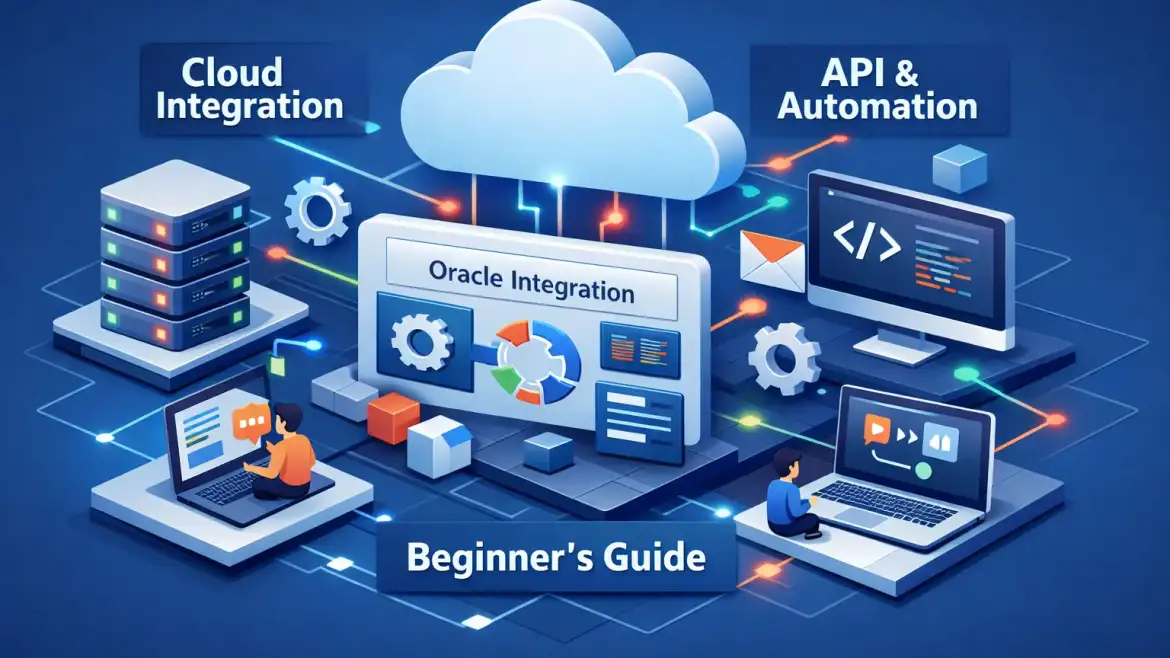
oic cloud is Oracle’s low‑code integration platform (an iPaaS) for connecting cloud and on‑prem systems, automating workflows, and monitoring end‑to‑end flows. It’s strongest inside Oracle landscapes (ERP/HCM/SCM) and when you need fast, observable integrations across hybrid networks. At CloudShine we run hands‑on labs and short POC packages that get teams comfortable with adapters, Gen3 networking, and monitoring in days — not months.
What OIC Cloud actually does — core components and quick verdict
Quick verdict: OIC solves application-to-application integration, process automation, and operational observability. Choose it when your stack is Oracle‑centric or hybrid and you need a low‑code route from idea to POC.
Application Integration
The visual integration builder and prebuilt adapters let you move data between ERP/HCM/CRM and third‑party apps without writing endpoint plumbing. Common tasks: API orchestration, transformations, and idempotent invokes.
Process Automation
Low‑code workflows, human approvals and case management live here. Use it for hire‑to‑retire HR flows or approvals that require business users to intervene.
Projects / Gen3 workspace
Gen3 Projects bundles artifacts, connections, lookups and RBAC in a single workspace. This reduces configuration drift and makes handovers simpler for teams practicing Git‑like lifecycle control. For teams preparing for certification or deeper platform mastery see the Oracle Integration Cloud Service Certification: Your Ultimate Guide.
Monitoring & Insights
Built‑in dashboards surface throughput, error trends and business IDs. Instrumentation makes troubleshooting a lot faster than blind log searches—critical for production SLAs.
Security & AI features
Encryption at rest/in transit, OCI IAM/RBAC, and natural‑language assisted mapping or authoring speed up initial builds while keeping governance intact. For practical security controls and consultant guidance, review Optimizing Oracle Fusion Security: Best Practices for Consultants.
Practical context: low‑code can cut build time by ~40–60% on routine integration pieces; Gen3 improves observability and workspace control in hybrid deployments. Actionable takeaway: if your project is Oracle‑centric or hybrid and you need fast, observable integrations, run a focused POC.
Adapters & connectors — the ones you’ll use first and mapping examples
Expect four practical categories: application adapters (Salesforce, NetSuite, Oracle ERP/HCM/EBS), technology adapters (REST, SOAP, File/FTP, Kafka, AS2), database adapters (Oracle DB, MySQL, SQL Server), and specialty adapters (Routty, EDI partner adapters). If you’re mapping to ERP, see our article on Oracle Cloud ERP: Benefits, Challenges and best practices in Implementation, CloudShine and a summary of the 10 Key Features / Functions of Oracle Cloud ERP.
Employee onboarding example: HCM emits a hire payload; map core fields to an AD/Okta user create. Add a lookup to resolve department IDs in one call per batch rather than per record, and use retry scopes around the identity create to avoid orphan records.
Sales order sync example: ERP order JSON → transform to CRM create‑order API. Include an idempotency key (orderNumber + sourceSystem) and preserve timestamps to avoid duplicate fulfillment and messy reconciliation.
GL import example: File trigger reads a CSV/FBDI file, transforms to ERP FBDI template and uploads via File adapter. Keep file sizes within adapter limits and validate row counts before import to avoid partial loads.
When to build vs reuse: prefer prebuilt adapters, but for bespoke REST services wrap them with a small API façade. Note: Gen3 has tighter rules on deploying custom adapters—Rapid Adapter Builder (VS Code) is useful where supported, but in Gen3 you may prefer the REST adapter or a lightweight proxy.
Limits & gotchas: structured payloads are constrained (≈50 MB); attachments/binaries can go higher (up to ~1 GB for file transfers). Many adapters support private endpoints; confirm each adapter’s private endpoint support in the console by checking the connection creation documentation. Actionable takeaway: pick 1–2 adapters for your POC, start with a small sample payload and one lookup/validation to validate the full path.
Gen3 networking & security — design, connectivity options and OCI requirements
Gen3 separates Design (authoring/management) and Run (execution) layers, deployed in the Oracle Services Network (OSN) by default. Design hosts the console; Run executes integrations and handles inbound/outbound traffic. By default both use OSN public endpoints unless you add private networking. For an overview of typical OIC Gen3 network flows see the A-Team writeup on Gen3 patterns.
Connectivity patterns:
Default public: No VCN required; quick to start. Use for low‑sensitivity POCs.
Private Endpoint: Secures OIC outbound calls into your VCN or on‑prem systems (recommended for sensitive data). See how teams handle Gen3 private endpoints in this practical guide: configuring Gen3 private endpoints.
Custom Endpoint + Load Balancer: Allows inbound private access to the Run layer behind an OCI Load Balancer.
Connectivity Agent: A lightweight proxy you install on‑prem to reach internal systems without opening inbound firewall rules.
FastConnect/VPN/DRG: Use these for resilient, high‑bandwidth hybrid links; provision redundant circuits for HA.
Security checklist (high‑level): design VCN/subnet segmentation, use Service Gateway for private OSN access, NAT for private egress, strict security lists/Network Firewall, RBAC/IAM and audit logging, and at least two redundant links for hybrid connectivity. Decision grid: accept OSN/public for quick SaaS-to-SaaS tests; require Private Endpoint + FastConnect when regulatory data (PCI/PHI) or strict egress rules apply. Actionable takeaway: confirm security needs with your network team first — use a private Endpoint + FastConnect for sensitive flows, otherwise start public to move faster.
Integration patterns & real‑world use cases
Five practical patterns: app‑driven/orchestration, scheduled/batch, file transfer, pub/sub, and event‑driven. Pick by SLA, throughput and coupling needs.
App‑driven: Triggered by API calls or adapter events. Example: invoice creation that kicks off tax/tolerance checks and ERP posting.
Scheduled: Nightly batch jobs. Example: GL imports using scheduled File → transform → ERP upload.
File transfer: Partner/EDI exchanges over SFTP. Example: vendor EDI orders landing as files and transformed into ERP messages.
Pub/Sub: Fan‑out order events to fulfillment and analytics. Example: publish order events to multiple subscribers for fulfillment and reporting.
Event‑driven: Near‑real‑time master data sync across systems. Example: employee record changes propagate to payroll and directory services.
Design rules & anti‑patterns: prefer asynchronous flows for scale, keep synchronous calls under strict SLAs (~300s), avoid per‑record API loops—use bulk/batch where possible. For testing and observability define business KPIs, instrument business IDs, implement retry policies and provide replay processes. Actionable takeaway: choose the simplest pattern that meets SLAs and instrument each flow early with business IDs for fast troubleshooting.
Licensing, pricing & how to size a POC vs production
Modern pricing uses messages/hour packs (1 pack = 5,000 messages/hr). Standard PAYG example rate is around $0.6452 per 5K messages/hr; BYOL discounts can materially reduce costs. Classic OCPU models still exist but message packs are the practical planning unit. For official rates and packaging see Oracle Integration pricing.
POC budgeting: use starter/PAYG or free automation tiers where possible. A focused, low‑volume POC (1–5 integrations, low throughput) can often be kept under $1,000 if you limit adapters and traffic. Production sizing depends on message volume, concurrency, adapter types, private networking and implementation effort — midmarket TCOs often rise due to integration complexity and services (research shows midmarket first‑year rollouts commonly range into the $200K–$450K band when implementation services are included).
Cost optimization: begin with Standard/PAYG, estimate messages/hr and adapter count first, use BYOL if eligible, aggregate messages into batches instead of many small calls, and provision 2x–3x headroom for peaks rather than extreme overprovisioning. Actionable takeaway: model messages/hour and adapter count; plan 2x–3x headroom for initial production sizing.
10‑point POC checklist — run a pilot and decide (CloudShine assisted option)
- Define 2–3 clear POC goals and measurable acceptance criteria (throughput, error rates).
- Identify sample systems and pick 1–2 adapters to validate end‑to‑end.
- Acquire a sandbox OIC instance (starter/PAYG) or request CloudShine’s lab access.
- Prepare sample payloads and test data including edge cases.
- Design simple mapping & orchestration; build idempotency and retries into flows.
- Decide Gen3 connectivity (public vs private) and configure security controls.
- Implement logging, business IDs and a basic health dashboard.
- Run functional tests, then light load tests; capture error and retry behaviour.
- Review costs/messages/hour and validate SLA compliance against acceptance criteria.
- Decide: iterate to production with a scale plan, or roll back and document learnings.
CloudShine option: we offer short POC packages that include instance access, trainer‑led build sessions, and handover artifacts to accelerate validation and knowledge transfer. Aim to run this checklist in 7–14 calendar days with a small team. For a practical customer example of continuous improvements we’ve helped deliver, see Oracle Helps Customers Embrace Continuous Supply Chain Innovation, CloudShine. Actionable takeaway: use the checklist to prove adapters, networking and cost assumptions before a full rollout.
Conclusion & next steps
One‑line verdict: Oracle Integration Cloud is a pragmatic iPaaS for Oracle/hybrid stacks — validate it with a small targeted POC that proves adapters, Gen3 networking and cost assumptions.
Next step: run the 10‑point checklist, confirm network/security constraints with your infrastructure team, and contact CloudShine if you want a guided POC or hands‑on bootcamp with live instances and trainer support.
FAQs
Is OIC the same as “Oracle iPaaS”? — Yes. OIC (Oracle Integration Cloud) is Oracle’s integration PaaS for cloud and on‑prem connectivity, automation and observability.
When should I choose OIC vs MuleSoft or another iPaaS? — Choose OIC when your landscape is Oracle‑heavy or hybrid and you value prebuilt Oracle adapters, Gen3 workspace controls, and integrated OCI networking. Evaluate other platforms for non‑Oracle standardization, specific adapter coverage or organizational skillsets.
Can I use OIC without provisioning an OCI VCN/IaaS? — Yes. The default OSN/public deployment requires no VCN. Use Private Endpoints, Connectivity Agent or FastConnect for private/hybrid scenarios.
How much does a small POC typically cost? — A tightly scoped POC using starter/PAYG tiers and low traffic can often be kept under $1K; production costs scale with messages/hr, adapters and implementation services.
Where to find official adapter lists and Gen3 docs? — Check Oracle’s Integration Cloud documentation and the Integration Store in the OCI console for the latest adapter matrix and Gen3 networking guidance: Oracle Integration Cloud documentation.