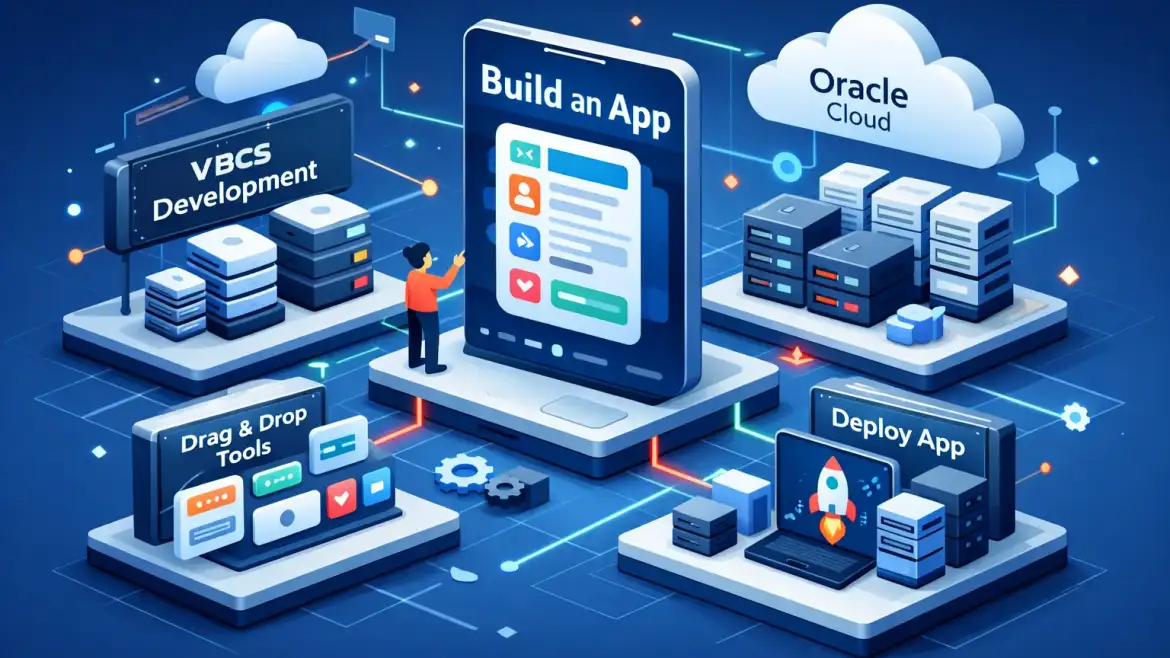
Short verdict: Oracle Visual Builder (VBCS) is a browser-based low-code platform that gets you from idea to a hosted UI in hours. Use it for quick SaaS extensions, internal forms, PWAs and prototypes that need Oracle SSO; it is not a drop-in substitute for heavy Java stacks like ADF. This guide gives a practical 7-step browser walkthrough so you can build, test and publish a small app now.
What Oracle Visual Builder is — and when to choose it
Visual Builder is a cloud PaaS low-code app builder. You design pages with drag-and-drop components, declare Business Objects that auto-expose REST endpoints, wire visual action chains (with optional JavaScript), and publish to an Oracle-hosted runtime. Identity integration is built in, so apps can inherit IDCS SSO easily for Oracle Cloud tenants.
Pick VBCS when you need fast UI + REST integration and single sign-on into Oracle Cloud: custom tabs in ERP/HCM, internal approval workflows, small PWAs, or prototypes that must be demo-ready quickly. Don’t pick VBCS when your project is a large server-side Java system, needs complex transaction semantics, or requires heavy on‑prem middleware — that’s where ADF, OCI Functions or a traditional Java stack fit better.
Real example: one CloudShine student built a Time‑off Request form in a half-day, exposed it as a custom tab inside Oracle HCM via the service catalog and IDCS SSO, and the HR team started using it the next week. That’s the kind of quick win VBCS is built for.
Core features, integrations and realistic limits
VBCS focuses on visual productivity, REST connectivity and cloud hosting. The most practical features to know:
- Visual Page Designer — drag components, responsive grid and a property inspector for bindings and styles.
- Business Objects — declarative data models that generate CRUD REST endpoints; you can import Excel for test data.
- Action chains & JavaScript — visually compose flows (submit, validate, call REST) with JS hooks for custom logic.
- Deployment targets — responsive web apps, PWAs, mobile wrappers, and Oracle SaaS custom tabs with IDCS SSO.
Integration is REST-first. VBCS includes a service catalog for Oracle SaaS and OIC, and Visual Builder Studio (VBS) for Git and CI/CD. Operational realities: VBCS expects REST APIs, so design backends with filters/pagination; private backends require VCN/load balancer setup; watch Oracle deprecations (e.g., Process → OCI Process Automation) and tenancy quotas. Decider: if your app is a UI layer over REST services with an Oracle identity domain, VBCS is a strong fit.
Quick hands-on: A 7-step browser app build & publish (do this now)
-
Provision or access VBCS — 5–15 min.
Goal: get a working VBCS instance. Actions: Sign into OCI console → Developer Services → Visual Builder → Create instance (Quick Start). If you don’t have a tenancy, use the 30‑day $300 trial or join a CloudShine lab for instant access to preconfigured instances.
Gotcha: ensure your account has a compartment and IAM permissions; trial users often forget compartment setup and see an error.
-
Create a new app — 5 min.
Goal: New Application → Web app template. Actions: Home → New Application → choose Blank or template → set Name and App ID. App IDs must be unique and avoid spaces/special characters.
Gotcha: using spaces or special chars in the app ID prevents publishes; use dashes or camelCase.
-
Add data: Business Object or REST backend — 10–20 min.
Goal: create a Business Object (BO) for a zero‑backend demo, or connect to an external REST service. Actions: Data Designer → New Business Object → add fields → enable REST; OR Services → New REST Endpoint → test in Postman first.
Tip: start with a BO to prototype without backend complexity; switch to a real REST service when ready.
-
Build the UI pages — 15–30 min.
Goal: drag a List, Form and CRUD controls onto the canvas and bind them to your BO or REST variable. Actions: Palette → drag List/Table → set Data Provider → configure bindings in Property Inspector.
Gotcha: avoid loading all records in a table — enable pagination or server-side filtering during development.
-
Wire actions and validation — 10–20 min.
Goal: create action chains for Create/Update/Delete and add basic client-side validation. Actions: Action Designer → New Action Chain → call BO operations or REST calls → add toasts for success/error.
Gotcha: authentication and CORS issues often surface now; fix service connection auth before extensive wiring.
-
Preview and debug — 10–20 min.
Goal: use Run/Preview to test flows, watch network calls and console logs. Actions: Run → open preview → use browser DevTools for network/traces and to simulate slow networks.
Tip: test with real-ish data volumes to spot performance problems early.
-
Publish and optional extras — 10–20 min.
Goal: Publish the app, choose public or private route, optionally enable PWA and configure SSO/IDCS. Actions: App Dashboard → Publish → copy the URL or configure custom domain/VCN. For step‑by‑step instructions on publishing from the VBCS console, review the publishing tutorial.
Gotcha: private endpoints require VCN and load balancer; SSO requires correct IDCS client setup and matching tenant settings.
Quick checklist: you should now be able to tick off — app runs in Preview; CRUD operations succeed; logs show no auth/CORS errors; published URL opens for intended users.
Pricing, trials and a small-project cost method
VBCS runtime is billed per OCPU per hour; Visual Builder Studio has a free tier (20 GB). There’s no single per-seat sticker price publicly listed — use the OCI Cost Estimator. Start with the 30‑day $300 trial to validate designs before committing.
How to estimate: Monthly cost ≈ OCPU_hourly_rate × OCPUs × Avg_hours_per_day × Days_in_month + storage + network egress.
Hypothetical example (illustrative only): If 1 OCPU = $0.50/hr, running 1 OCPU for 8 hours/day × 20 days → 0.5 × 1 × 8 × 20 = $80/month plus storage and network. Use OCI Cost Estimator for exact regional rates and always label these numbers as test estimates.
Decision note: for a tiny single‑page demo, VBCS can be heavier than consumer low-code tools. But for Oracle-centric extensions that must integrate with Fusion apps and IDCS, the built-in integrations and managed hosting often justify the cost — see our piece on Evolvement of Oracle Fusion Financials, CloudShine for context on Fusion integrations.
Common pitfalls, performance traps and pro tips
Authentication & Service Connections: 401s are the most common blocker. Test endpoints in Postman first, use the correct auth type (Oracle Cloud Account vs OAuth2) and prefer a dedicated BOBackend when mapping Oracle backends.
CORS & Certificates: Self-signed certs cause failures; enable proper CORS origins for VBCS domains and use valid certificates in production.
Overfetching & Slow REST: Don’t load entire tables in the client. Use server filters, pagination or OIC bulk adapters for large transfers. Add timing logs in production to spot slow endpoints.
Pro tips: use Visual Builder Studio for CI/CD and branching; enforce naming conventions for connectors; clean obsolete app versions regularly; add action-chain error handlers and retries for flaky backends. For guidance on integrating VBCS with Oracle content services and other platform services, consult the Oracle integration guide.
Next steps, docs, CloudShine workshops and FAQs
Read the official Oracle Visual Builder pages and Visual Builder Studio docs for version-specific notes; start with Oracle’s Oracle Visual Builder product page to understand editions and feature scope. Practice labs to try in order: a BO CRUD app, a REST integration with SSO, then a VBS pipeline and staging flow.
If you prefer guided, instance-based labs, CloudShine runs short, practical VBCS workshops where students get live Oracle instances, trainer mentorship, and placement-focused feedback — useful for turning a demo into an interview-ready project. See our training overview at Benefits of Oracle Fusion HCM Cloud Online Training, CloudShine for how our hands-on sessions are structured.
If you’re evaluating whether to modernize broader systems, our roundup of Top 10 signs that it’s time for modern cloud applications, CloudShine can help prioritize projects. For migration and tenancy setup best practices, refer to Oracle Cloud Implementation Best Practices: Tips for A Successful Migration, CloudShine. And for supply chain-focused Oracle integrations, read Unlocking the keys to continuous innovation: Takeaways from the Oracle Cloud SCM Virtual Summit, CloudShine.
FAQs
How long to build a simple VBCS app?
A basic CRUD app with a Business Object can be built and published in 30–90 minutes. Time increases if you add SSO, private endpoints, or complex integrations.
Do I need an OCI tenancy?
For production yes. For evaluation you can use Oracle’s 30‑day $300 trial. CloudShine labs are an alternative for immediate hands‑on access without provisioning delays. For migration and tenancy readiness tips, see Oracle Cloud Implementation Best Practices: Tips for A Successful Migration, CloudShine.
How does VBCS pricing work?
Runtime is billed per OCPU‑hour; Visual Builder Studio includes a free tier. Use OCI Cost Estimator and run small tests to measure real costs for your usage pattern.
Can I extend VBCS with code?
Yes. Action chains allow JavaScript hooks and you can add custom JET components. For heavy server-side logic, prefer OCI Functions or OIC integrations.
Actionable takeaway: Follow the 7-step walkthrough now with a trial account or CloudShine lab. Build a small CRUD app, add SSO if you need it, and use the OCI Cost Estimator to validate costs before committing to production.