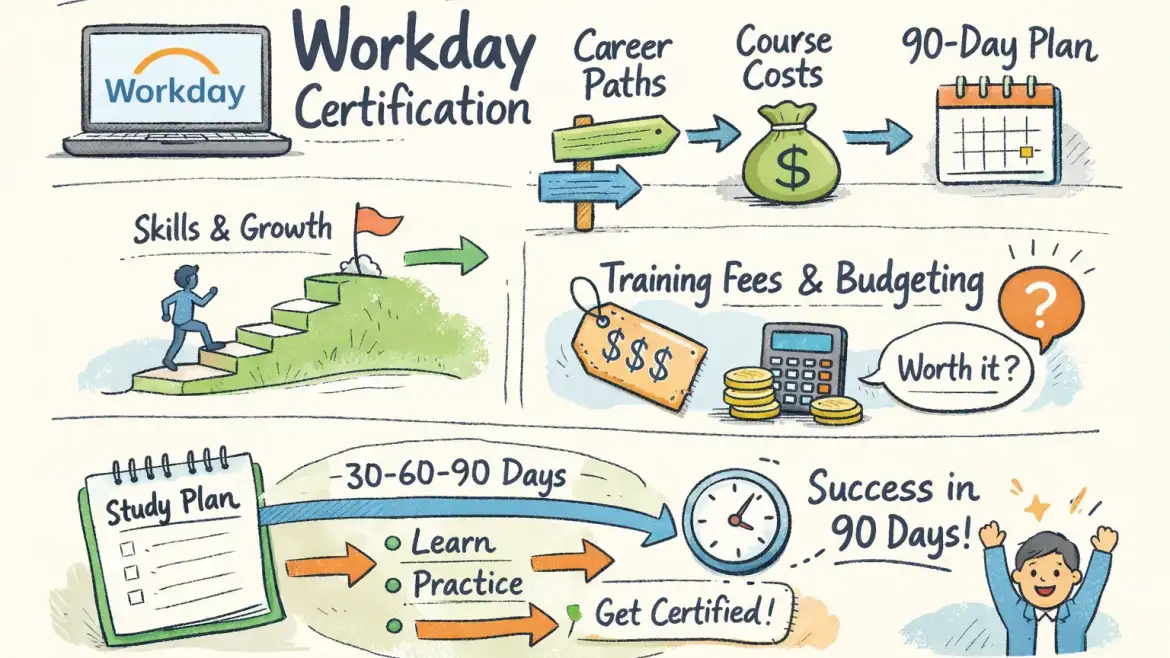
Short answer: Yes—you can become Workday certified, but the fastest route depends on whether your employer is a Workday customer/partner and can sponsor access to the Workday Learning Center. This workday certification course guide compares official and third‑party routes, lays out costs and exam rules, and gives a week‑by‑week 90‑day study plan you can follow; CloudShine’s practical, placement‑focused approach is used as a job‑ready example.
Official vs third‑party: which training path is right for you?
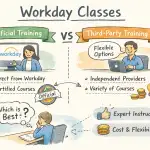
Quick takeaway: If your employer can enroll you as a Workday customer or partner, the official path gives the credential employers recognize; if not, choose a third‑party provider that guarantees sandbox time and placement support. Both paths prepare you for real work, but they serve different access and budget realities.
Official Workday training and Workday Pro certification carry the strongest brand credibility because exams and transcripts are issued through the Workday Learning Center. The downside is eligibility: many pro-level tracks require employer sponsorship, and official instructor‑led units are billed per “training unit,” which makes upfront cost higher.
Third‑party programs allow open enrollment, faster starts, and often lower sticker prices. The trade‑off is they cannot issue Workday Pro credentials — instead they must demonstrate job readiness through live labs, projects, and interview prep, which many hiring managers value equally when backed by demonstrable work.
Decision shortcuts: if you have employer/partner access, pursue official certification. If you need a fast, interview‑ready portfolio, prioritize third‑party training that bundles real instance time and placement coaching. If your independent budget is under roughly $2k, look for bootcamps that include sandbox hours and placement assistance.
CloudShine note: CloudShine positions itself as a practical route—live Workday labs, mentor support from consultants with 15+ years’ experience, a 60:24 teaching‑to‑lab ratio, and a placement cell focused on resume and mock interviews.
Which Workday credentials exist — and which jobs they open
Quick takeaway: Start with a foundational credential—Platform Administrator or HCM Core—then specialize into Compensation, Reporting, Integrations, or Financials depending on the role you want.
Platform Administrator: targets system/admin roles and technical consultants who maintain security, business processes, and tenant health. HCM Core and module certifications (Compensation, Recruiting, Payroll) map to HRIS analyst, implementation consultant, or HR operations roles. Financials (Record‑to‑Report, Procure‑to‑Pay) feed finance/ERP consultant and GL/AP specialist roles. For related Oracle process coverage see Oracle Fusion Financial Control & Reporting Important Roles | Oracle Financials Cloud | CloudShine.
Adaptive Planning suits FP&A analysts and financial modelers; Integrations and Security certifications suit integration consultants and security administrators who handle EIBs, Workday Studio, and domain security. Employers usually hire a mix: admins to run the tenant, specialists to own modules, and integrators for cross‑system work.
Choose by persona: The Pivoter (ERP or finance background) often begins with Platform Admin or HCM Core plus a specialist module. The Aspirant (recent graduate) should focus on HCM Core and reporting, then build a portfolio of reports and small integration demos. Enterprise buyers should certify people for the exact process they own (e.g., Hire‑to‑Retire or Procure‑to‑Pay) — see also Oracle Fusion Sales Order to Shipment Cycle | Order to Cash Life Cycle | CloudShine for an Order‑to‑Cash perspective.
Actionable choice: target HCM Core or Platform Administrator as your first certified area; plan specialization after 6–12 months of sandbox experience.
Cost, formats and what hands‑on practice must include
Quick takeaway: Official training and exams are pricier but authoritative; third‑party pricing varies widely—prioritize providers that include live sandboxes and configuration tasks rather than video-only syllabi.
Reality check on prices (verify before you buy): official instructor‑led courses are often billed by training unit, commonly around $800 per unit; exams are commonly reported at ≈ $800 per attempt. That puts many official paths in the $1,500–$4,000 range depending on units required. Third‑party bootcamps span roughly $500–$3,000 depending on depth and whether sandbox/placement is included. (Workday’s official education datasheet outlines typical training formats and unit concepts: Workday Education & Training datasheet.)
- Essential hands‑on items any serious program must provide: an admin sandbox for orgs and positions, data‑load practice (iLoads and EIBs), reporting and calculated fields labs, security & business process configuration with testing scenarios, and at least a basic integrations lab.
What to ask a provider: “Do I get dedicated sandbox access and how many lab hours are included?” “Can I practice iLoads and EIBs?” “How many mock interviews and resume reviews are included?” “What real project work will I submit?”
CloudShine as a template: CloudShine’s curriculum is 100% practical, provides live tenant access, pairs experienced trainers (15+ years) with a 60:24 instruction‑to‑lab model, and includes a placement cell for resume and mock interview coaching — the package you should expect from a job‑focused vendor.
Actionable takeaway: if a vendor can’t promise sandbox time and mock interviews, budget an extra ~20% for supplemental lab access or choose a different provider. For broader context on third‑party certification routes and comparisons, see this third‑party guide to Workday certification.
Exam mechanics: format, pass score, retakes and recertification
Quick takeaway: Workday exams are proctored, closed‑book and scenario‑heavy. Plan your study around timed mocks plus targeted sandbox drills rather than just watching videos.
- Format and rules: most module exams contain around 50 multiple‑choice and scenario questions, timed at roughly 100–120 minutes, closed‑book and proctored through the Workday Learning Center. Passing thresholds commonly fall between 70–80% (verify the exact score for your module). Retakes usually require a training credit or fee (reported ≈ $800) and may have a short waiting period. Recertification cadence is commonly two years.
Exam‑day checklist: secure a quiet room, stable internet, webcam and a valid photo ID; do two full timed mocks in the final week; bring a one‑page error log of topics you struggled with for quick last‑minute review (noting, not to consult during the exam). For official enrollment and proctoring procedures see the Workday Pro enrollment job aid: Enrollment: WorkdayPro Job Aid.
Actionable takeaway: schedule your exam only after completing three full timed mocks and at least 20 hours of targeted sandbox practice on your weakest topic areas.
A practical 90‑day study & enrollment plan
Quick takeaway: A focused 12‑week plan splits into onboarding, core builds, integrations/reporting, then consolidation and exams. Adjust hours for working learners versus full‑time bootcampers.
Time budgets: working professionals — plan 10–15 hours/week (evenings + weekends); full‑time learners — 25–35 hours/week for bootcamp intensity.
- Week 1 — Orientation & baseline: decide official vs third‑party, enroll, get sandbox access, create a study tracker and tentatively schedule your exam. Deliverable: sandbox login and calendar.
- Weeks 2–4 — Core fundamentals: navigation, org structures, positions, staffing, and basic business processes. Deliverable: three sandbox configuration tasks completed.
- Weeks 5–6 — Security & business processes: configure end‑to‑end hire→comp→termination flows and test approvals. Deliverable: recorded business process walkthrough. For practical guidance on approval hierarchies, see Understanding Fusion Purchasing Approvals Hierachy | Know about Oracle Fusion Approval Methods | CloudShine.
- Weeks 7–8 — Reporting & calculated fields: build five reports (headcount, comp, turnover, open requisitions, cost center summary) and one dashboard. Deliverable: saved reports and dashboard.
- Week 9 — Integrations & data loading: practice EIBs and iLoads, run validation and reconciliation. Deliverable: successful data load and EIB run.
- Week 10 — Consolidation: rework weak labs, document errors, and prepare a remediation log. Deliverable: gap list and fixes.
- Week 11 — Timed mocks & interview prep: do three full mocks, update your resume for Workday roles, and run two technical mock interviews. Deliverable: mock scores and interviewable resume.
- Week 12 — Final review & exam: light topic drills, final checklist, sit the proctored exam. Deliverable: exam completed.
If you don’t have native Workday access, enroll with a vendor that guarantees sandbox hours (CloudShine is an example) or combine self‑study with paid lab rentals and guided sessions. Locking your exam date at the start of week 1 improves completion rates significantly.
Next steps, budget cheat‑sheet and FAQs
Quick next steps: Check whether your employer can sponsor access, shortlist two third‑party programs that include sandbox and placement support, then build your 90‑day calendar and reserve an exam slot in week 12. For certification route comparisons and job outcomes, this Indeed guide to Workday HCM certification is a helpful independent primer.
| Route | Ballpark cost |
|---|---|
| Official Workday training + exam | $1,500–$4,000 for courses + ≈ $800 per exam attempt (verify current rates) |
| Third‑party bootcamp | $500–$3,000 depending on sandbox & placement inclusion |
| Hidden costs | Sandbox rental, retake fees, extra mock interviews, time off for exams |
FAQs
Can I get Workday certified as an independent individual?
Short answer: Generally no for many Workday Pro exams—official pro‑level certifications usually require employer sponsorship (customer/partner). Independent learners should complete third‑party training and pursue employer sponsorship for the official credential. For independent learners looking for step‑by‑step options, see this practical third‑party perspective: Workday certification guide.
How much does a Workday certification cost?
Expect roughly $800 per official exam attempt plus course fees. Instructor‑led official courses are often billed per training unit (≈ $800/unit). Always confirm current pricing with Workday or your chosen provider.
How long does preparation take?
With 10–15 hours/week, a focused 90‑day plan is realistic to prepare for a single module if you pair video learning with at least 20–40 hours of sandbox practice and repeated timed mocks.
Do employers prefer official Workday certification?
Official certs are a clear signal of vendor‑validated competence, but hiring managers often value demonstrable hands‑on experience—reports, integrations, and real tenant work—equally or more, especially for junior roles. For role‑focused guidance on finance/ERP roles, review Oracle Fusion Finance Important Roles | Roles in Fusion Applications | CloudShine.
Is hands‑on lab access necessary?
Yes. Exams and on‑the‑job tasks assume you can configure, test, and troubleshoot in a sandbox. If a program lacks real instance time, treat it as incomplete for practical readiness. For adjacent process and SCM context, see An Intro to SCM Modules In Oracle Cloud Applications, CloudShine.
Summary: pick the official path if you have employer access; otherwise choose a third‑party program that guarantees sandbox hours, timed mocks and placement coaching. If you want a job‑ready option that pairs live instances, mentor hours, mock interviews and placement help, use those checklist items above to evaluate providers — CloudShine’s programs are designed to match that practical checklist.