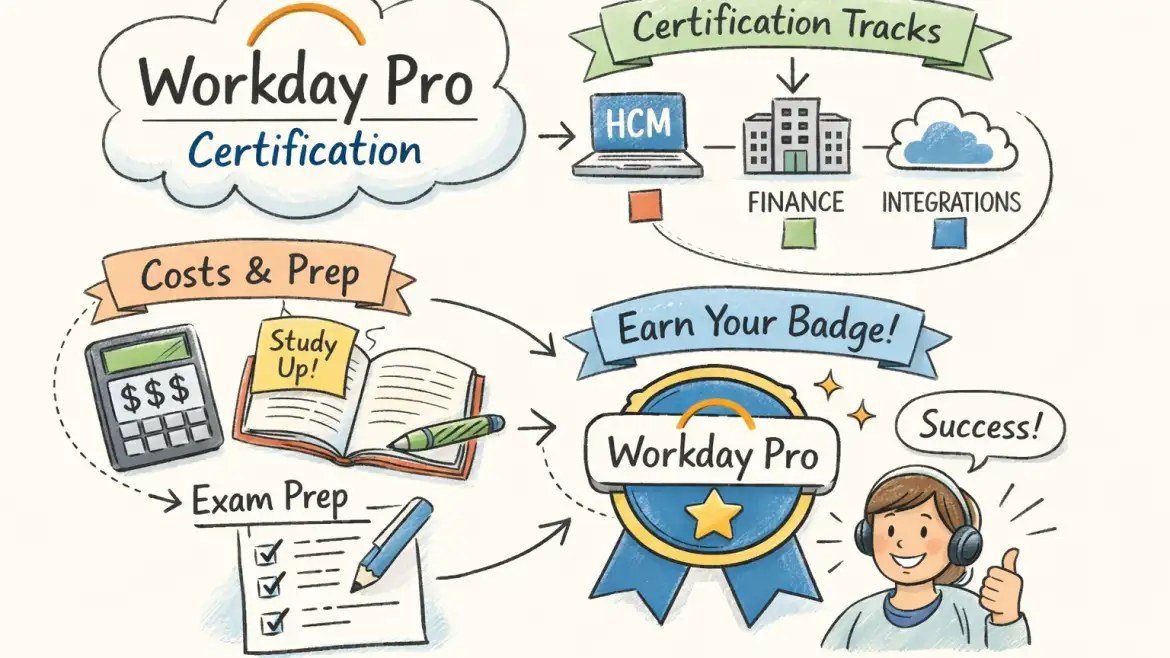
workday pro certification is a practical, employer-focused credential that proves hands-on product skills in reporting, platform administration, integrations and analytics. If you work with Workday or plan to support implementations, choose the track that mirrors the tasks you perform every day.
If you want live-instance practice and placement support, CloudShine runs targeted Workday bootcamps featuring real tenants, mentor feedback, mock interviews and an active placement cell. This article shows how to pick a track, the exact registration steps, realistic cost and time estimates, a 6–8 week study plan, and how to claim and share your Credly badge.
Quick verdict and a fast way to pick your track
Short answer: Workday Pro is best for practitioners who configure, maintain, or report from Workday—not for casual users. Start with the track that maps to your day‑to‑day work and broaden later.
Decision shortcut: HR analysts → HCM Reporting; Finance pros → Financials Reporting; Integrations engineers → Integrations; System administrators → Platform Administrator; BI/data teams → Prism Analytics or Adaptive Planning.
Fast filter: if you’re a Workday employee, partner or a customer admin, most tracks are available through your Learning Center. If you’re external, Platform Administrator has public options (and third‑party bundles exist for non-affiliated learners).
CloudShine nudge: if you’re unsure which track fits, run a short lab session on a live tenant to confirm. Actionable takeaway: pick the track that matches your current weekly tasks — not the one that sounds most prestigious.
What each Workday Pro track actually tests
Direct answer: exams focus on applied configuration and operational tasks rather than abstract theory; questions map to routine tasks you’d perform in a production tenant.
HCM Reporting — building, securing and troubleshooting operational HR reports, calculated fields and dashboards used by HR teams.
Financials Reporting — using the financial report writer, creating ledger and reconciliation reports, and validating accounting outputs.
Platform Administrator — tenant housekeeping: security configuration, business process design, simple EIBs and everyday administration tasks.
Prism Analytics — data modeling, dataset creation, calculated fields and workbook/report sharing for analytics teams.
Adaptive Planning — building models, setting up planning cycles, dimensions and data loads for FP&A workflows.
Grants Management — lifecycle configuration for grants, related ledgers and compliance reporting.
Integrations — Enterprise Interface Builder (EIB) basics, connectors, troubleshooting logs and integration maintenance.
Common exam facts: most Workday Pro exams are about 50 multiple‑choice questions, proctored, with an 80% passing threshold (roughly 40/50). Timeline and delivery can vary by track and affiliation.
Eligibility nuance: many tracks require Workday customer/partner/employee affiliation; Platform Administrator and select public programs are the primary external entry points. Actionable takeaway: list three tasks you do this week and map them to the competencies above — that identifies the best track quickly.
If you’re evaluating other cloud ERP ecosystems as part of your career planning, see our primer on What is Oracle Fusion Cloud and Why Does It Matter for a comparison of platform design and typical roles.
Eligibility, exact registration steps and typical timelines
Direct answer: registration is handled inside the Workday Learning Center and usually requires Training Coordinator or manager approval; external routes exist but are limited. For a concise overview of certification offerings, check the Workday certifications page.
- Locate your desired Workday Pro track in the Workday Learning Center and click “Request.”
- Ask your Training Coordinator/manager to approve the request (their approval triggers the course activation email).
- Accept the Terms of Service from the Workday email and activate the coursework on your transcript.
- Complete the required courses within the activation window (commonly four months from activation).
- Schedule and take the proctored exam once coursework shows as complete.
Typical timelines: core coursework often takes 1–4 weeks for focused study; the Platform Administrator self‑paced route commonly uses a 30‑day access window. Overall you normally have four months to finish a track after activation. Retakes require a training services case and administrative processing — expect wait windows and extra fees.
Actionable takeaway: copy the five-step checklist above into an email and request Training Coordinator approval with a proposed start date this week. If you’re new to the certification process, guides such as Indeed’s guide to Workday HCM certification can clarify common eligibility questions and practical next steps for external candidates.
True cost breakdown and how to budget
Direct answer: costs are meaningful but typically employer-covered. If you’re self-funding, budget for the exam plus course units or third‑party bundles.
| Item | Typical cost (approx.) | Notes |
|---|---|---|
| Workday Pro exam attempt | ~$800 | Per attempt; verify current price with Workday |
| Training unit | ~$800 / unit | Courses range 1–5 units; instructor‑led pricing varies |
| Retake fee | ~$650 or 1 training unit (varies) | Some tracks treat retake as a training credit |
| Third‑party public bundle (Platform Admin example) | ~$1,600 | Includes course + exam access for external learners (ASU Platform Administrator program is an example) |
| Full multi‑unit training + exam (estimate) | $2,500 – $4,000 | Depends on units and provider |
Example scenarios: employer‑sponsored candidates often pay $0 out‑of‑pocket; self‑funding Platform Admin via public bundles runs ≈$1,600; a full multi‑unit track with instructor‑led courses plus exam can reach $2.5k–$4k.
Money‑saving tips: check whether your org has a Workday Success Plan (may waive fees), request training units from HR, use partner discounts, or combine training slots when hiring a few staff at once.
Actionable takeaway: ask HR these three questions today — “Do we have Workday Success Plan coverage?”, “Can training units be used for certification?”, and “Who is my Training Coordinator who approves requests?”
A practical 6–8 week study plan and exam‑day tactics
Direct answer: you can clear the exam with disciplined hands‑on practice, focused labs, and two timed mock exams. Prioritize doing the tasks in a tenant over rote memorization.
Weekly blueprint (6–8 weeks, 6–10 hrs/week)
Week 1
Register, confirm required courses, set calendar study blocks and read the track objectives and exam blueprint.
Weeks 2–3
Complete core Workday courses and follow each module with direct practice in a live lab: reporting candidates should build three operational reports; integrations candidates should create at least one EIB and review logs; platform admins should configure a security group and a business process.
Week 4
Remediate weak areas: document step‑by‑step screenshots from labs for review, and re-run the most important scenarios until you’re fast and confident.
Week 5
Take two timed practice exams under exam conditions. Carefully review every missed question and redo the corresponding lab or course material.
Week 6 (and optional Weeks 7–8)
Final pass of labs, one last timed mock, and light review. Schedule the proctored exam on the day you’ll be most alert.
Exam‑day tactics
Confirm proctor requirements, use a wired connection if possible, have government ID ready, and allocate about 1.5–2 minutes per question. Read scenario stems fully, eliminate obvious wrong answers, and flag uncertain items to review if time permits.
- Confirm proctoring software, camera and mic work.
- Clear, quiet workspace and stable internet connection.
- ID ready and browser windows closed; disable notifications.
- Time plan: don’t spend more than 2 minutes on a question initially.
- Stay calm; use lab screenshots and notes from your practice (where permitted during study) to guide review before the exam.
If you fail, open a training services case through your Training Coordinator, schedule the retake, and focus remediation on the lab tasks tied to your missed objectives. If you want focused coaching, CloudShine offers mentor‑led lab sessions and mock interviews to shorten remediation time.
For candidates working with supply chain or inventory teams, supplement Workday practice with domain primers such as An Intro to SCM Modules In Oracle Cloud Applications, CloudShine to better understand cross‑platform processes and terminology.
Claiming and using your Credly badge — share, verify and next steps
Direct answer: after you pass you’ll receive an invitation email to claim your Workday Pro badge on Credly; accept it, make it public, and share the verification link on LinkedIn and your résumé.
Claiming steps: open the Workday email; sign into or create a Credly account; accept the badge; set visibility to public; then use Credly’s share buttons or copy the public URL.
What employers see: badge metadata includes the issuing organization, criteria, issue date and any expiry or recertification requirement. Add the public badge URL to your résumé line: “Workday Pro — Platform Administrator (Workday); Credly verification: [URL] — Month Year.” Sample LinkedIn post: “Proud to earn the Workday Pro — Platform Administrator badge. Verification: [Credly URL].”
For best practice on verified skills and sharing, review Credly’s guide to implementing verified skills for tips on visibility, metadata and employer verification workflows.
Next steps: list relevant role titles (Workday Administrator, Integration Analyst, Reporting Specialist), pursue adjacent tracks (Integrations, Prism, Adaptive) and use your credential to qualify for implementation project roles or internal promotion discussions. If you’re comparing role responsibilities on other platforms, these CloudShine articles can help:
- Oracle Fusion Finance Important Roles | Roles in Fusion Applications | CloudShine
- Oracle Fusion Self Service Procurement Important Roles | Oracle Fusion Self Service provider | CloudShine
- Oracle Fusion Inventory Management Important Roles |Oracle Fusion Cloud Solutions in India | CloudShine
CloudShine note: if you prefer guided, practical prep, CloudShine’s Workday bootcamps use live tenants, provide mentor feedback, conduct mock interviews and support placement — contact us to arrange a short consultation or request our Workday Pro exam checklist.
FAQs
What score do I need to pass a Workday Pro exam? — You typically need 80% (about 40 out of 50 questions); confirm the specific track page for exceptions.
Who is eligible for Workday Pro certification? — Primarily Workday employees, partners or customers; a few tracks (like Platform Administrator) have public options.
How much does the exam cost? — Commonly around $800 per attempt; training courses are priced per training unit (≈$800/unit). Verify current pricing with Workday or your Training Coordinator.
How do I claim and share my Credly badge? — Accept the Workday email invite, sign into Credly, claim the badge, set visibility to public, then share the verification URL on LinkedIn and your résumé.
What if I fail the exam? — File a training services case via your Training Coordinator, schedule a retake, and focus remediation on the lab tasks tied to the questions you missed.
Two key takeaways: choose the track that mirrors what you actually do at work, and build a study plan centered on hands‑on tenant practice rather than memorization. When you’re ready for structured lab time, mentor feedback and placement support, CloudShine’s live‑instance bootcamps are designed to shorten your prep and get you interview‑ready.